Tech Insights
True 5 mm Accuracy, Put to the Test: Inside the Lixel L3 Accuracy Validation
Lixel L3 achieves ≤5 mm accuracy at 1σ across 1,524 point pairs. See the five-step validation workflow and Leica TS60 benchmark test data.
Turn static 3DGS captures into dynamic lighting variations using AI relighting tools to test sunsets, night looks, and mood changes in minutes.
Most spatial captures begin with a practical constraint: you record the site when access is available. Maybe that means walking through a house at noon, scanning a street on a clear afternoon, or capturing an interior before the production team has decided what mood the final scene should carry.
The result is accurate, but it is also tied to a specific moment. The light, shadows, and atmosphere all come from the time of capture.
For many use cases, that is not the end of the creative question. A real-estate team may want to show how a living room feels in the evening. A location scout may want to pitch the same alley as both a daytime street and a night exterior. A virtual production team may want to test several moods before investing in a more detailed lighting setup.
This XGRIDS x Beeble AI demo explores that gap between accurate capture and fast visual exploration.
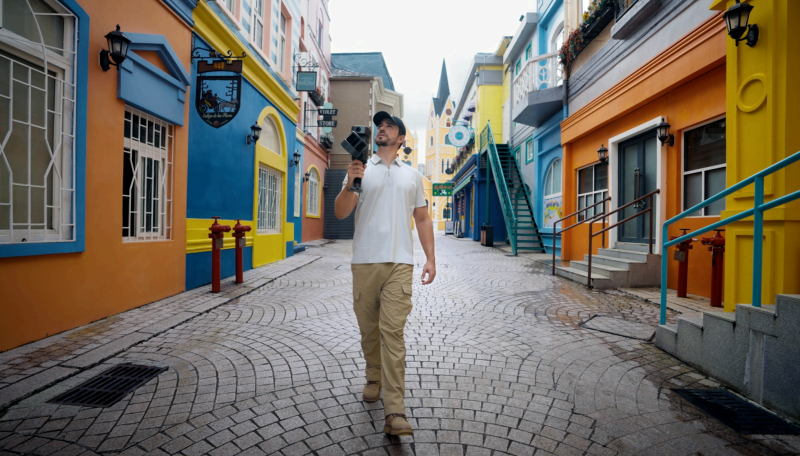
The idea: capture the space once with PortalCam, create a 3DGS walkthrough through the XGRIDS LCC workflow, then use Beeble AI to quickly preview different lighting conditions from the same video.
XGRIDS builds spatial intelligence and 3D reconstruction solutions for capturing, digitizing, and reusing real-world spaces. Its workflow connects spatial capture hardware with software tools for reconstruction, editing, and scene presentation.
PortalCam is the capture device used in this demo. It records the source spatial data from the real environment, giving the XGRIDS LCC workflow the foundation needed to reconstruct the space as a 3D Gaussian Splatting scene.
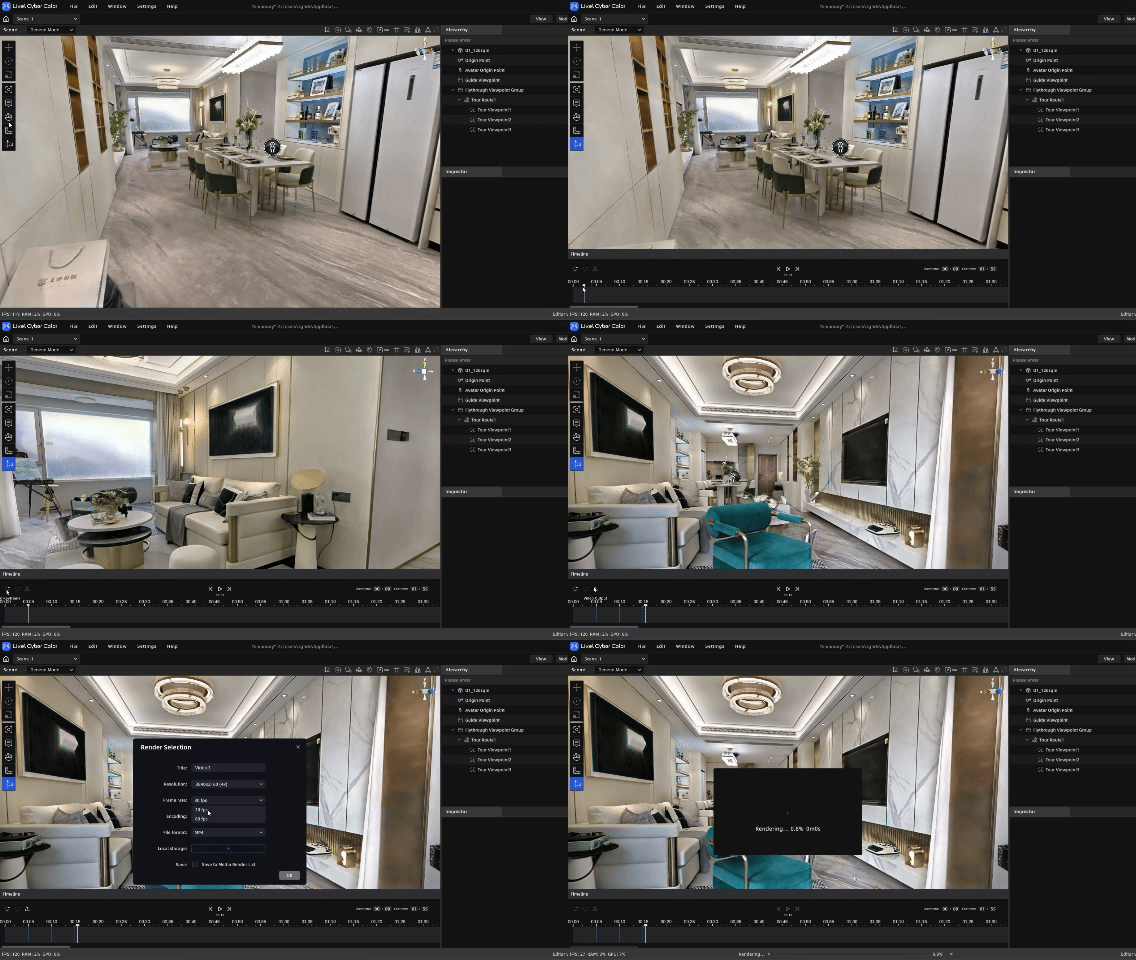
LCC Studio processes the captured data into a high-quality 3DGS asset, while LCC Scene Editor lets users review the scene, define a camera path, and export a rendered walkthrough video.
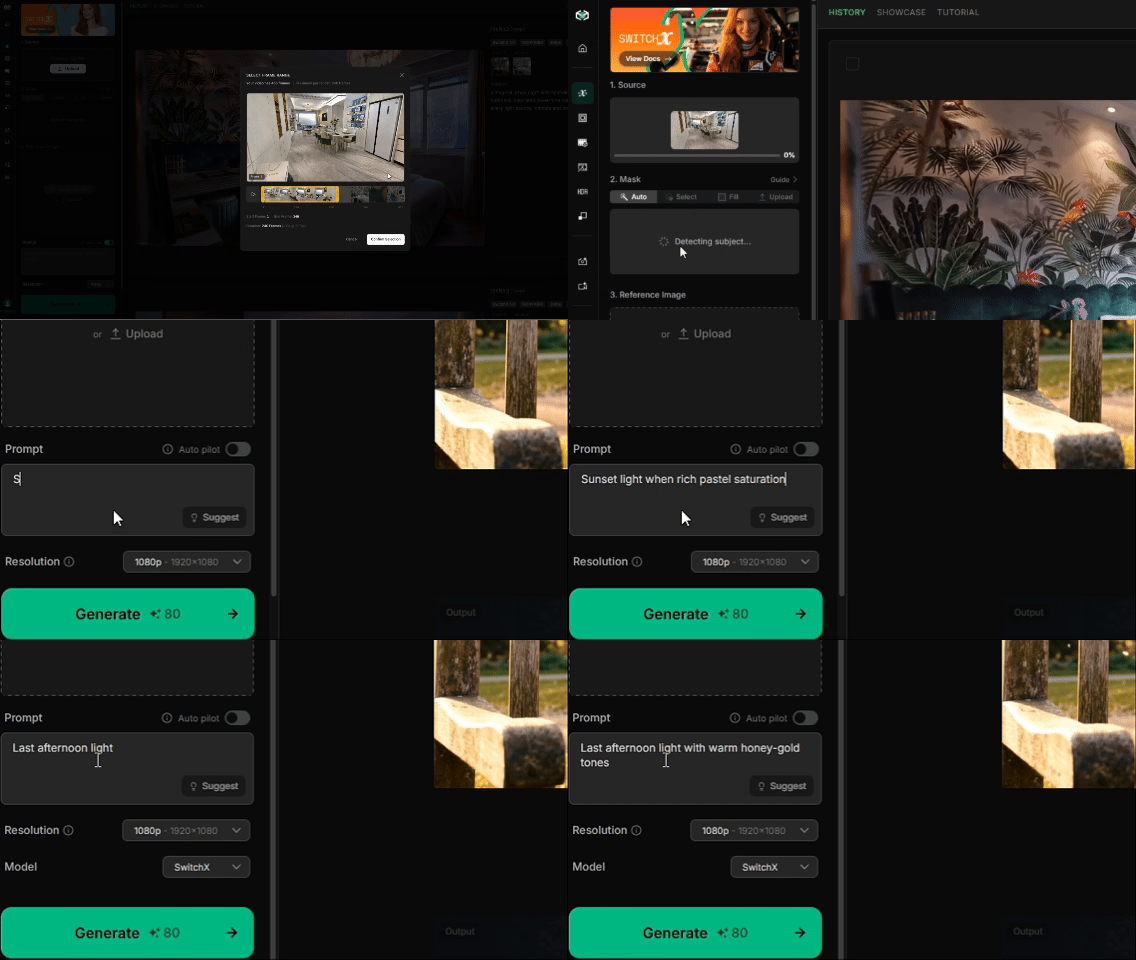
Beeble AI develops AI video tools for relighting and visual look development. In this workflow, its SwitchLight capability takes the XGRIDS-rendered walkthrough video and lets users adjust lighting, shadows, color, and mood through natural-language prompts.
Together, the workflow is simple: XGRIDS provides the captured space and the rendered flythrough. Beeble AI turns that flythrough into a fast canvas for lighting exploration.
The first step is not about relighting at all. It is about getting a reliable spatial source.
PortalCam captures the real environment, and the data is processed through the XGRIDS LCC workflow to generate a 3DGS scene. Once the scene is reconstructed, LCC Scene Editor can be used to define a camera path and export a rendered walkthrough video.
That exported video matters because it becomes a clean handoff format. The camera movement is already chosen. The scene is already reconstructed. The video can now move into a creative post-processing workflow without asking the next tool to directly understand or edit the original 3DGS asset.
After export, the walkthrough is uploaded into Beeble AI's SwitchLight interface. Instead of placing lights one by one, the user describes the intended mood in language: sunset warmth, honey-gold afternoon tones, richer saturation, cooler evening ambience, or a night look with stronger artificial lighting.
This is where the workflow becomes useful for early decision-making. The user does not need to know how to set up a full lighting rig in Unreal Engine, Unity, or another renderer just to answer a first question: Could this space work under a different time of day?
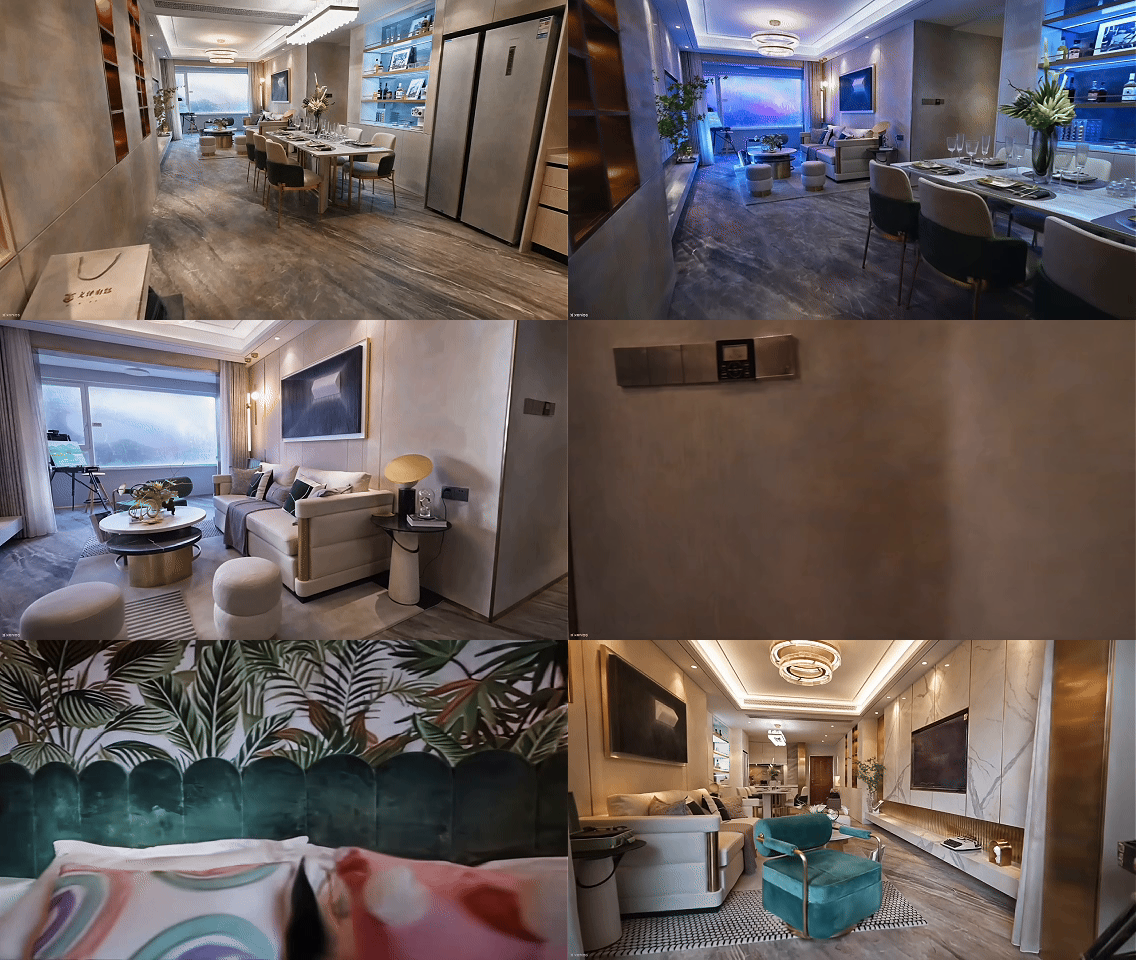
That does not replace precise lighting work. It gives teams a faster way to reach a visual direction before deciding whether a scene deserves deeper production treatment.
The indoor sequence makes the value easy to understand. The original capture reflects a bright daytime environment. After relighting, the same walkthrough can lean into a warmer, later-afternoon atmosphere. The room feels softer and more directional, closer to a polished visual reference than a raw record of the scan.
For real estate, this can help a viewer understand how a property might feel beyond the exact hour when it was captured. For interior design or architecture, it can support mood exploration before committing to a more detailed rendering pass. For creative teams, it gives another way to turn spatial data into a pitchable visual.
The street sequence pushes the idea further. A single captured route can be presented as daylight, evening, or night. The geometry of the place and the camera movement stay familiar, but the emotional read of the scene changes.
That makes the workflow especially useful for location scouting and virtual production pre-viz. Instead of waiting for another capture window or building a complete lighting setup just to test a mood, teams can quickly compare plausible looks from the same source walkthrough.
(3) 1.gif)
This workflow is strongest when the goal is fast pre-viz, not final lighting control.
If a team needs physically precise lights, editable fixtures, final render integration, or exact artistic control, a real-time engine such as Unreal Engine or Unity is still the right environment. Those tools are built for detailed scene lighting, material tuning, and production-level control.
But not every question needs that level of setup. Sometimes the first need is simply to see whether a noon capture can become a convincing sunset interior, whether a street can carry a night mood, or whether a client responds better to one lighting direction than another.
For those moments, combining XGRIDS capture with Beeble AI relighting creates a low-learning-cost way to explore the visual potential of a captured space.
In this demo, Beeble AI relights the rendered walkthrough video generated from the XGRIDS 3DGS scene. It does not directly edit light objects inside the original 3DGS scene, nor does it convert the 3DGS asset into a fully physically relightable 3D environment.
This distinction is important for technical readers. XGRIDS provides the capture, reconstruction, and camera-path rendering. Beeble AI then applies video-level AI relighting to the exported walkthrough.
Used this way, the workflow is practical and honest: it extends the creative usefulness of a captured space while keeping the role of each tool clear.
A spatial capture should not be limited to the lighting condition of the day it was recorded. With PortalCam, LCC Studio, and LCC Scene Editor, XGRIDS can turn a real environment into a reusable 3DGS walkthrough. With Beeble AI, that walkthrough can become a fast surface for lighting exploration.
The result is not a replacement for final lighting work. It is a faster way to ask better visual questions earlier in the process.
One capture. One flythrough. Many possible looks.
Lixel L3 achieves ≤5 mm accuracy at 1σ across 1,524 point pairs. See the five-step validation workflow and Leica TS60 benchmark test data.
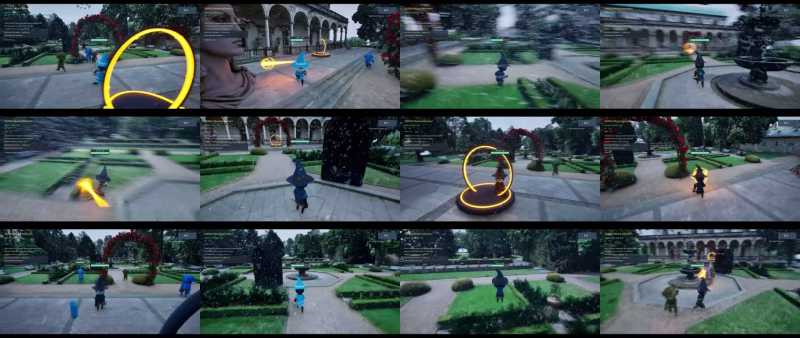
A garden scan became a playable Unreal Engine game in under two hours, with 3D Gaussian splatting for the level and an AI agent for the game logic.
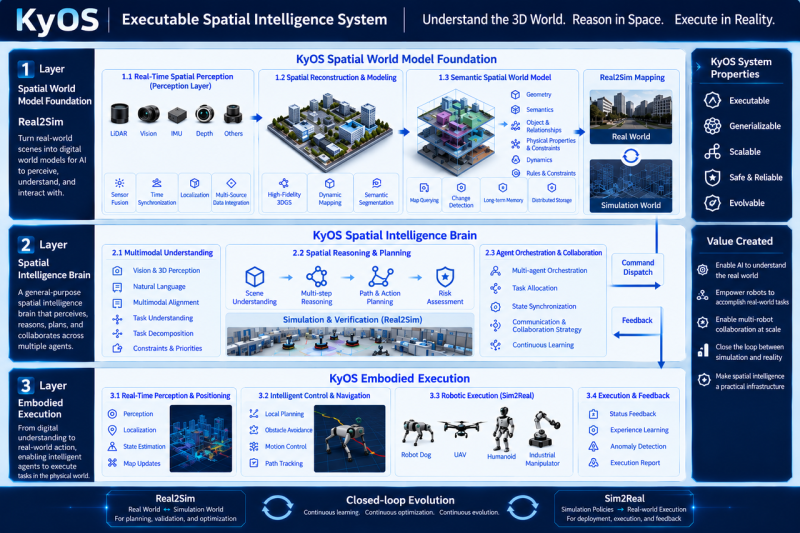
Scaling embodied AI requires KyOS, a closed-loop architecture coordinating perception, task planning, and reflex control across different timescales.
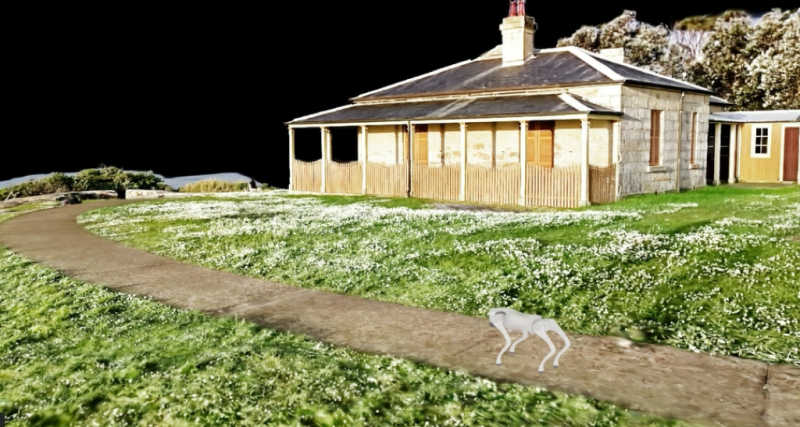
From Real-World Capture to Interactive Simulation