Case Studies
Virtual Pre-Production for Netflix's Monster: The Lizzie Borden Story.
Reality capture let Netflix's Monster scout 35 Italian locations in four days with PortalCam, then plan shots remotely through virtual scouting of 3DGS scans.
Handheld 3D capture brings real museum spaces to LED volumes, replacing green screens and photogrammetry for fast, cinematic virtual camera moves.
A TAFE NSW film program had three hours inside the Australian Museum with a rented, handheld Lixelkity K1. Weeks later, the Dinosaur Gallery was standing on an LED wall, live and in-camera, making it possible to achieve pickup shots that would not have been feasible on location.
Every year, TAFE NSW students and staff at Bradfield Senior College create a Project as part of simulating a workplace environment for students preparing for creative industries students. For the last 4 years, the school has built toward a large, multi-disciplinary immersive film, with students working in skills teams under different instructors. The program experiments with unique creative tools with each new student group. Michael McLennan, one of its Creative Directors, puts the working principle in his own words. "The spirit of the Project is the fusion of diverse skillsets and leverage from limited resources," he says. "How do we achieve spectacle strategically? Is there a way to achieve a dramatically-impressive result from a relatively low spend? We have students and staff working in Unreal Engine and Blender - could we give them an asset that might put them in reach of a spectacular visual result?”
For the project's twelfth year, that ambition pointed at the Australian Museum in Sydney, founded in 1827 and Australia's first Museum. The goal was specific and cinematic: "I was most keen to generate cinematic virtual camera moves exploring the Museum space, as though the birds from the Birds Gallery had broken free and were flying freely through the Museum. We had put this in our initial brief to the students at the start of the Project, but this is the kind of thing we could never generate with a physical camera, due to restrictions on our equipment and the space."
The Australian Museum building ruled out almost every conventional route to those shots. Lighting was fixed and often low intensity. Specimens sat behind glass, traditionally an issue for LiDAR. Any scan would have to finish before doors opened at 10am. Drones and other movement tools were out of the question for the space and the students.
So the team rented an XGRIDS Lixel K1 through Mangoesmapping. "This was an experiment," Michael says. "The gamble was that having one shot at a scan of the Museum during a rental period might give us something extraordinary."
It was the team’s first capture on a schedule with little slack. “We learned how to operate the device using Lixel’s tutorials in the day leading up to the scan, but it was a very tight learning curve. Surprisingly, this was enough.”
The K1 runs one-handed, so a single operator can cover a space. Michael and a student covered the public galleries in a single morning, monitoring the live feed using the LixelGo phone app to ensure scan quality. They followed the Lixel Youtube tutorials for tips on scanning technique. One scan was done for each major gallery, two or three passes each at varying heights, with overlapping control points between adjacent rooms. The Birds Gallery scan took around eighteen minutes, the Dinosaurs Gallery around twenty-two minutes, and Surviving Australia was twenty-five minutes. Later rooms were combined into single scans to save the write time between captures, and some of the later scans overlapped with the entry of the public, giving opportunities to experiment with dynamic object removal. The team had to swap batteries after 3 scans (75 minutes) in order to work for another 90 minutes.
Everything after the capture happened in-house. The team copied the raw files off the scanner to a hard drive, installed LCC Studio on a campus PC, and processed the scans into LCC and PLY files. Where captures spanned multiple scans, such as the three floors of the Long Gallery, the merge was done in Houdini by TAFE Enmore teacher Hugh Carrick-Allan and exported to PLY. Camera moves were created in Blender using the Kiri Engine plug-in by 3D students, and those were then adapted into Unreal Engine for a stronger final result.
This was the entry-level path. Michael and his team are already looking to the next stage, where LCC Studio's Premium features, Map Fusion and HD Enhancement among them, would further streamline processing and sharpen detail, and where they plan to bring in the XGRIDS UE plugin. Michael says, "We're very curious to make use of the XGRIDS plugin for Unreal Engine in the next stage of our work. We’re currently generating a larger, interconnected model from all of our scans to make it possible to create an asset for our students to work with in future projects.”
The team had already filmed a Dinosaur Gallery sequence on location, and the scan let them return to it. Working from the highest-resolution PLY, they brought the gallery into Unreal Engine 5.7 and ran it as a live, in-camera VFX (ICVFX) environment on the LED volume under a tracked Arri Alexa. This is the scan-to-virtual production workflow in practice: a captured location driving the wall in real time rather than a pre-rendered plate.
"The Gaussian splat was real time in-camera. Not rendered plates," Michael says. "Initially we thought we might have to use rendered plates, but after some experimentation we found we were able to work with the highest resolution PLY file generated from LCC Studio to create a Gaussian splat that we could navigate on."
The payoff was a shooting day that would not have been possible within a public space like the Museum. "By re-positioning the Gaussian splat, we were able to shoot 3 pickups with a stronger camera in the studio in 45 minutes, using tools we never could have taken to the Museum, such a camera dolly, a jib, or an Arri Alexa." The student actor, Izzy, felt the difference from the other side of the lens: it was "great to have the time to do multiple takes for performance, with a calmer studio-based atmosphere than the hurried original shoot at the Museum."
One planning note traveled home with the team, useful to anyone scheduling a capture-to-shoot pipeline: the gallery's early-morning lighting at scan time differed from the scene's lighting, "a reminder of the importance of doing the 3D scan as close as possible to the time the matching scenes are filmed."
In other applications, the scans became assets for use in 3D animation. The most natural use was subjective point-of-view movement through the galleries, a third-person move through the Dinosaur hall or the perspective of a creature loose in the museum, needing no added lighting or rigged objects, just camera navigation.
One student from our Editing Skills team - Josh - went further, placing a rigged dinosaur model, built from another student's 2D drawing, inside the Dinosaur Gallery capture. It ran only a few seconds, but "it was a very promising step that one of our students figured this out and was able to set-up a project that resulted in useable animation. This was done in Blender using the Kiri Engine Gaussian Splat plug-in. While they were unable to render on their own machine, it was impressive that they were able to set up the move for rendering on a machine with stronger specs.”
A senior-secondary student authoring usable animation inside a captured photoreal environment, on a first exposure to the format, says a great deal about how approachable the workflow has become: a ready-made environment lets students spend their hours on the craft they came to learn — camera, lighting, rigging — rather than on building sets.
The Dinosaur Gallery "was captured very well, despite low light, and with a minimum of image noise." The iconic sperm-whale skeleton suspended from ceiling in the Wild Planet Gallery resolved in detail from below, even though "the scanner was never able to view this skeleton from above, so this was a very good result." Cleaning staff and later the public visiting the Museum - moved through the building throughout the session and left almost no trace in the data: "The dynamic object removal appears to be excellent... I see very little evidence of the cleaning staff or the visiting public that were moving through the building when we were scanning." Objects behind glass in the Birds and Minerals galleries came through where scanner-side light was strong, a result that surprised Michael given how thoroughly reflections had defeated an earlier phone-based attempt on the same building.
The team had already tried most of the alternatives, on this building and this project.
| Alternative | What it would have required | What the team found |
| Phone-based LiDAR (Polycam / Luma) | Smartphone capture, already attempted on the Long Gallery | Severe difficulty in low light, glass, and reflections |
| Photogrammetry (high-megapixel stills) | A full stills capture and processing pass | Used for individual objects, not viable for whole galleries in the time available |
| Manual modelling in Unreal | Building galleries by hand from architectural plans | A student built one gallery; strong work, but "the texturing would have never allowed photorealism, and populating the gallery with all the objects was similarly out of reach" |
| Second location shoot | Re-booking museum access for the pickups | The access, time, and equipment limits that prompted capture in the first place |
| Green screen and photo plate | A studio shoot against a flat background | "Lighting would not have been as strong a match as it was with the actual background behind the subject, viewable to the lighting team" |
This was a first pass, built from a rented scanner and a single morning of access. The next phase, expected later this year, adds the tools to go further: Map Fusion in LCC Studio to fuse the galleries into a complete model of the museum, HD Enhancement for photo-based enrichment of individual specimens, the LCC Unreal Engine plugin, and a capture plan with height access and more schedule slack.
The goal is a single continuous experience of the whole building. "It would be impressive to do a complete virtual camera tour of the Museum, shifting between the point cloud and the Gaussian splat textures as we went," Michael says, which would also let the team extend the bird-flight motif from their film more fully through the galleries. And there is a gift in it: "It would be lovely to gift the Museum with a final virtual tour of the Museum as it exists in its 200th year as a time capsule." The team has other plans, including a scan of an iconic amusement park at the heart of Sydney.
For education programs weighing the same experiment, the Bradfield pilot draws a clear map: rent before you buy, plan the capture around your shoot schedule, bring a boom pole, and know that the first pass — even without the full toolset — could make virtual production a possibility.
Yes. In this project the capture ran as a real-time, in-camera environment in Unreal Engine 5.7 under a tracked cinema camera, not as pre-rendered plates played back on the wall.
This team covered most of a large museum's public galleries in a single morning of roughly three hours, using one handheld Lixel K1 on a rental. This included a scan of two sides of the building’s exterior.
This pilot produced a live virtual production environment and student animation assets using LCC Studio's entry-level processing path alone. Map Fusion, HD enhancement, and the Unreal plugin extend the workflow further and are the focus of the team's next phase.
Michael McLennan, is one of the Creative Directors of Bradfield Senior College’s Project Step Inside: A Night at the Museum. The Project was created by students and staff as part of the Certificate II in Workplace Skills at Bradfield Senior College, TAFE NSW. The 3D scan of the Australian Museum was captured with an XGRIDS Lixelkity K1 rented through Mangoesmapping. LED-wall and Unreal work by Mauricio Cesana, Technical Officer at St Leonards TAFE Film, TV and Sound. Unreal Engine work by Hugh Carrick-Allen, TAFE Enmore. Filmed by Tom Truong, St Leonards TAFE Film, TV and Sound. Supervised by Lutfi Hady, St Leonards TAFE Film, TV and Sound.
Michael McLennan would also like to thank Anna Messariti, Director of Bradfield and Richard Dilly, Director Exhibitions and Experiences.
Reality capture let Netflix's Monster scout 35 Italian locations in four days with PortalCam, then plan shots remotely through virtual scouting of 3DGS scans.
.png?x-oss-process=image/resize,w_800/quality,Q_50)
A one-hour Lixel K1 scan of six Culver City blocks gave a generative film pipeline the fixed geometry it needed to keep six locations consistent.
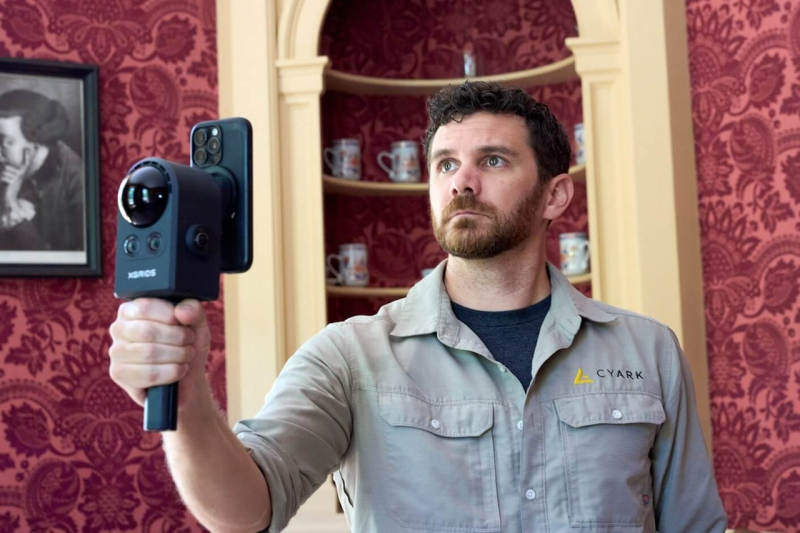
Handheld 3DGS by PortalCam helped CyArk document three landmark interiors for America 250, solving mirror reflections and low-light field challenges.
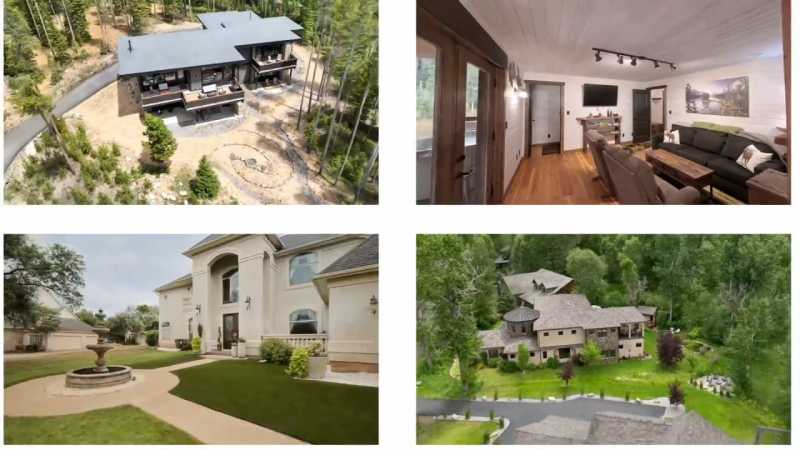
Cut property capture costs by up to 90% using 3D Gaussian splatting to deliver photorealistic browser-based spatial tours for real estate and hospitality.