
News
XGRIDS PortalCam Becomes Only Product to Win Four Categories at 2026 NAB Show Product of the Year Awards
XGRIDS PortalCam Becomes Only Product to Win Four Categories at 2026 NAB Show Product of the Year Awards
Turn your iPhone into a 3D spatial camera with LCC Scan. Run 3D Gaussian reconstruction directly on-device in under 2 minutes without cloud queues or data leaks.
XGRIDS' new spatial camera app captures the people and objects in front of you in 3D, using nothing but your phone.
A photo keeps a moment. A video keeps a stretch of time. Some things worth keeping have more sides than the one your lens was pointed at.
The expression on everyone's face when friends gather. The design on the back of a collectible. The way your pet is lounging around this very moment. Or a corner of the world you stumbled upon on a trip. All of it deserves to be preserved whole.
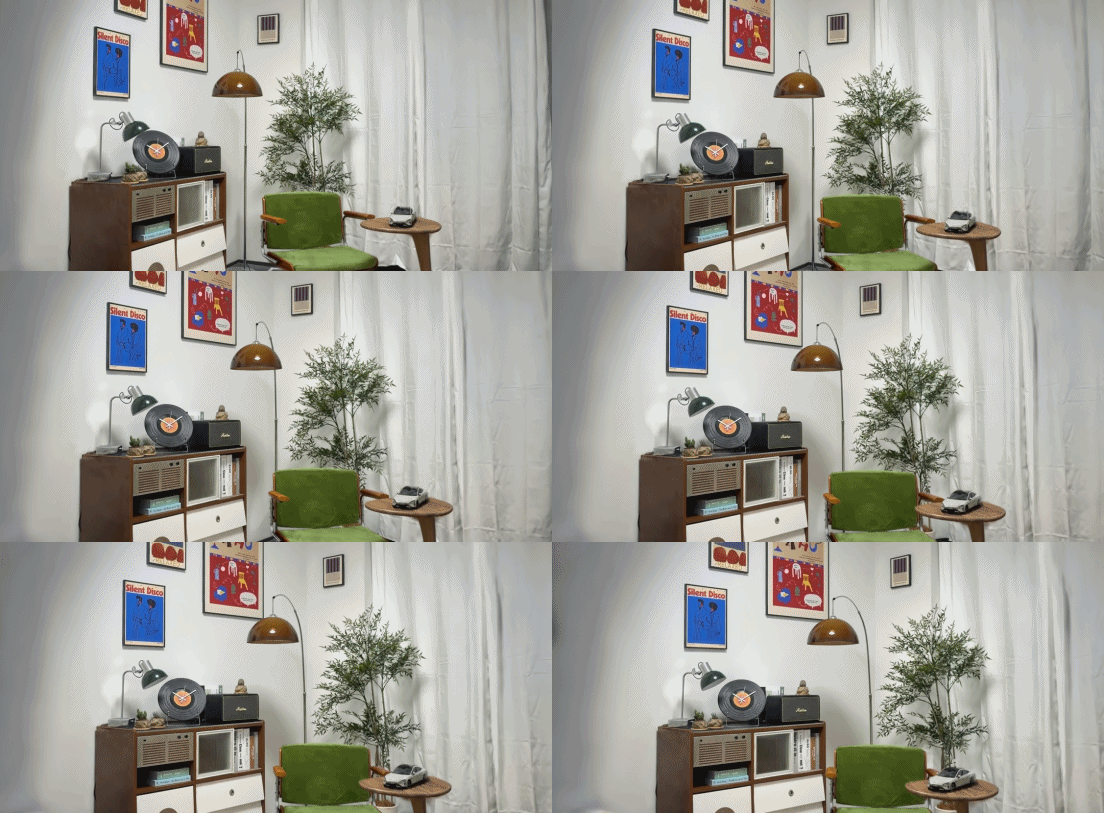
Today XGRIDS is releasing LCC Scan, a spatial camera app that records the people, objects, and small scenes in front of you as high-quality 3D captures you can move around inside, using nothing but your phone. It keeps what a photo keeps and adds the space around it: a person's expression, an object's form, and the details hiding on the side you weren't facing. Open it again later and you can turn it, move closer, and see the moment from angles you didn't choose at the time.
That's why we built LCC Scan. A more complete and more everyday way to archive what's real.
Capture and reconstruction both finish on the device. Nothing is uploaded to the cloud, there's no server queue, and your footage stays with you.
No 3D scanning experience or special equipment needed. Pick up your phone, walk a circle, and keep every side that matters.
As a iPhone 3D scanner app, LCC Scan is built so recording in 3D feels like taking a photo. Open the app, pick the mode that fits what's in front of you, and start.


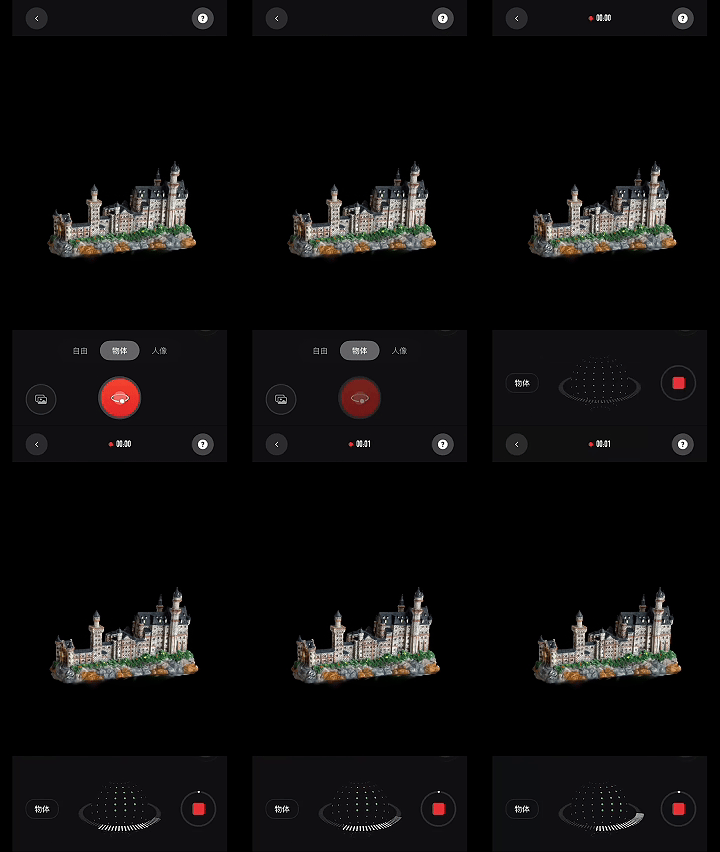
During capture, the on-screen scan sphere shows which angles are recorded and which still need coverage. Hold the phone steady, follow the guide, and walk a full circle around your subject. A 3D scan with iPhone usually takes about a minute.
LCC Scan offers two ways to reconstruct:
LCC Scan runs 3D Gaussian reconstruction on the device. When capture ends, nothing is uploaded to the cloud. There's no queue at peak hours, and no dependency on your network connection. In Fast mode, 3D scanning with iPhone turns a one-minute scan into a 3D capture you can turn and explore about two minutes later.
Among 3D scanner apps, LCC Scan stands out for finishing reconstruction on the device instead of on a server. Speed doesn't cost you the close look. The texture of fabric, the material of an ornament, a person's presence, and the details you only find after turning to the other side are preserved as faithfully as the capture allows. What you want to keep should still hold up the next time you open it.
On-device reconstruction also keeps private records private. Data from the people, personal spaces, and prized objects never has to leave your device. Share it when you want to. Keep it to yourself when you don't.
A 3D capture isn't only for holding onto the moment. It's for reopening the moment from angles you didn't take at the time.
Turn to the other side, move in on a detail, or look from a viewpoint you missed. What you don't see today may be waiting the next time you open it.
Sharing works the same way. One tap generates a 3D orbit video for the social platforms you already post to. Or share the interactive 3D capture and hand the choice of angle to whoever's looking.
3D Orbit Video
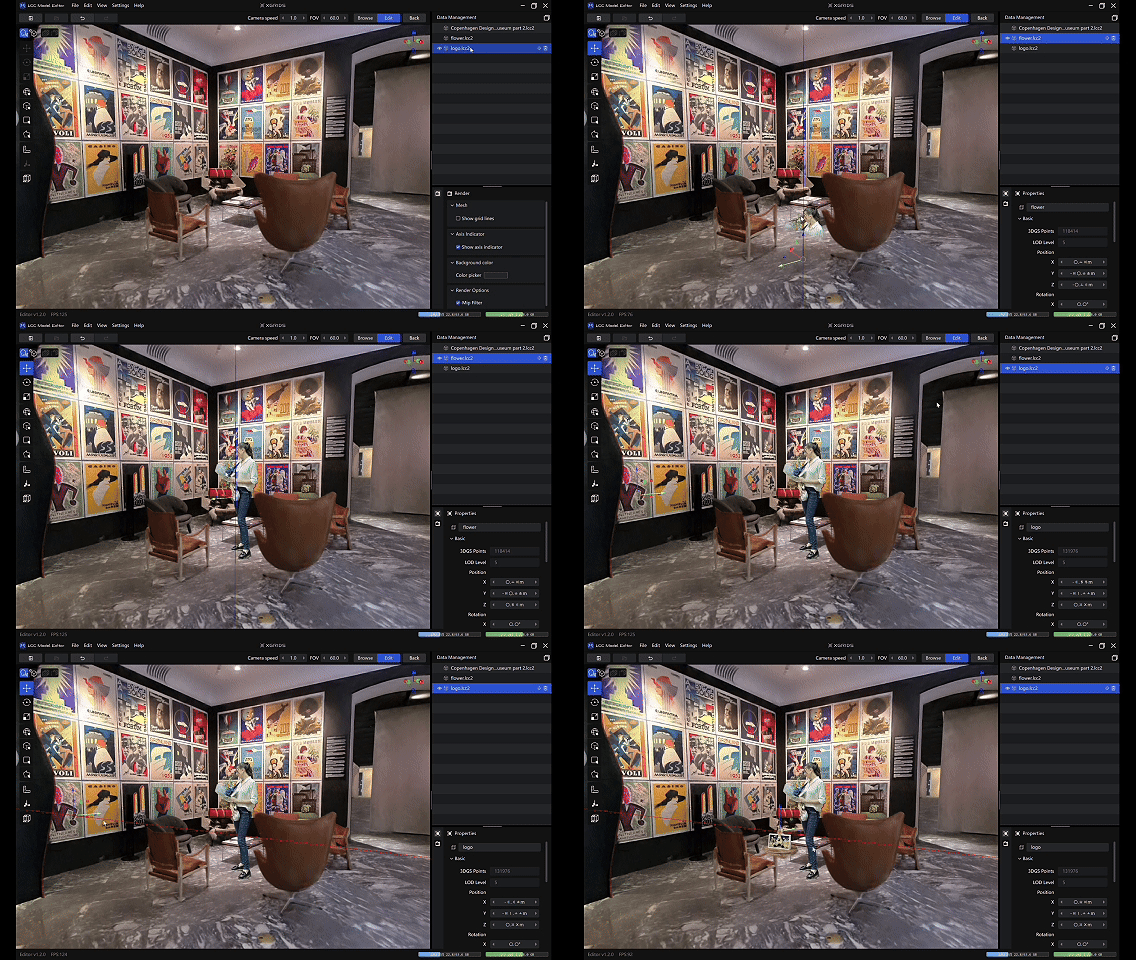
LCC Scan starts on your phone and connects to the wider XGRIDS ecosystem. You can export LCC2 and PLY via LCC Cloud so an everyday capture can enter editing, presentation, and creative workflows. In the next release, LCC Scan will support exporting PLY and LCC2 models directly from the app, creating a smoother path from capture to further creation.
Put your pet in front of a landmark and cut a round-the-world video. Bring a friend you captured into Unreal Engine as an NPC. Or shelve a favorite collectible inside a digital museum scene and build a private museum of your own.
A 3D capture is an archive of something real and a starting point for whatever you make next.
When the subject grows to buildings and larger real-world spaces, PortalCam, Lixel K2, and Lixel L2 Pro cover spatial capture at professional scale. Your phone records the people and objects within arm's reach; professional devices record the larger world. Different devices, different scales, all entering the same LCC ecosystem to be reconstructed, edited, published, and used.
Spatial intelligence begins with recording the real world as space. Only once it's captured and reconstructed can it be understood and built on.
Over the past few years we've taken that work onto construction sites, into industrial parks, heritage projects, and robotics training grounds, onto engineers' monitors and into creators' engines, and through demanding acceptance standards across those industries. Spatial intelligence is how the digital world comes to understand the physical one: it lets machines read space, and it lets people step back into any site that's been recorded.
But not just large or professional sites deserve to be kept.
The people, objects, and moments that don't come back should get to live on in a digital archive, too.
LCC Scan takes a capture entry point that mostly belonged to professionals and puts it in everyone's pocket. Starting with the people and things that matter to you, more of what's real can be kept as spatial content, and anyone can record the spatial world.

LCC Scan is available now as a free 3D scan app for iPhone on the App Store. On-device reconstruction requires iPhone 13 or later, or iPad Air (5th generation) or later, running iOS 17 or later. An Android version is planned; Follow us for release news.
Download👉: https://apps.apple.com/app/id6751404953
Learn more👉: https://www.xgrids.com/intl/lccscan
Export from LCC Scan👉: https://www.youtube.com/watch?v=ltSptDcUk3M
Join XGRIDS discord to share your 3D Spatial photo with us:
👉 https://discord.com/invite/b99H8wjRaH
XGRIDS PortalCam Becomes Only Product to Win Four Categories at 2026 NAB Show Product of the Year Awards

An open format that more tools, more industries, and more developers can build on.
XGRIDS, a spatial intelligence company and one of the first companies to deploy 3D Gaussian Splatting at production scale across multiple industries, today announced its membership in the Khronos® Group.

XGRIDS wins the IFA 2026 Netzwelt Innovation Award with PortalCam & LCC Scan, turning physical spaces into production-ready digital twins in real time.