Walk the Site Once. Model From It All Project Long.
Handheld SLAM capture replaces station-by-station setup. Walk through the space and leave with a registered point cloud at 1 cm relative accuracy, a photorealistic 3DGS scene, and a dataset that carries into Revit, ReCap and AutoCAD without a second site visit.
Why AEC Workflows Are Moving Beyond Traditional Surveying
From Site Record to Project Infrastructure Across the Lifecycle
A tripod survey is a line item. It gets commissioned once, delivered as a report, and filed. The cost of the setup is what keeps it rare, and the rarity is what makes it stale by the time construction starts. Handheld SLAM capture changes the math. When one person can document a floor in the time it takes to walk it, capture stops being an event you budget for and becomes something you do at every milestone. The same dataset then serves survey, design, coordination, QA/QC and handover.
Faster Site Documentation
8 hours reduced to 17 min per floor scanning or 5–10× faster capture replaces station-based scanning with mobile reality capture and dramatically reduces field time.
Centimeter-Level Accuracy
Capture buildings with 1 cm relative accuracy and 3 cm absolute accuracy using integrated RTK workflows, registered in real time, with no manual cloud-to-cloud pass.
Anyone On the Team Can Run It
No station setup, no target placement, no survey qualification. Operator availability is no longer a constraint on frequent as-built documentation.
Photorealistic Site Conditions
The point cloud answers how big. The photoreal 3DGS model answers what was there: MEP runs above a ceiling, an existing condition that contradicts the drawings, a wall before it closed up.
Multiple Deliverables From One Capture
Generate point clouds, 3DGS scenes, measurements, and BIM assets simultaneously. Straight into Autodesk, ReCap, Revit, AutoCAD, SketchUp and CloudCompare. Standard exchange formats, no proprietary viewer seat, no lock-in.
One Dataset, Five Stages
Survey, design, construction, handover. The same capture carries through the project instead of being re-commissioned at each phase, in each vendor's format.
The XGRIDS AEC Workflow
Five Stages, One Walkthrough: From Reality Capture to BIM and Construction Management
Most reality capture tools optimize one stage. The survey vendor delivers a point cloud and leaves. The progress-tracking platform wants its own capture. Each handoff adds a re-scan, a re-registration and a format conversion. The workflow below runs on a single capture, carried forward.
Step 1
Site Survey and Scope Definition
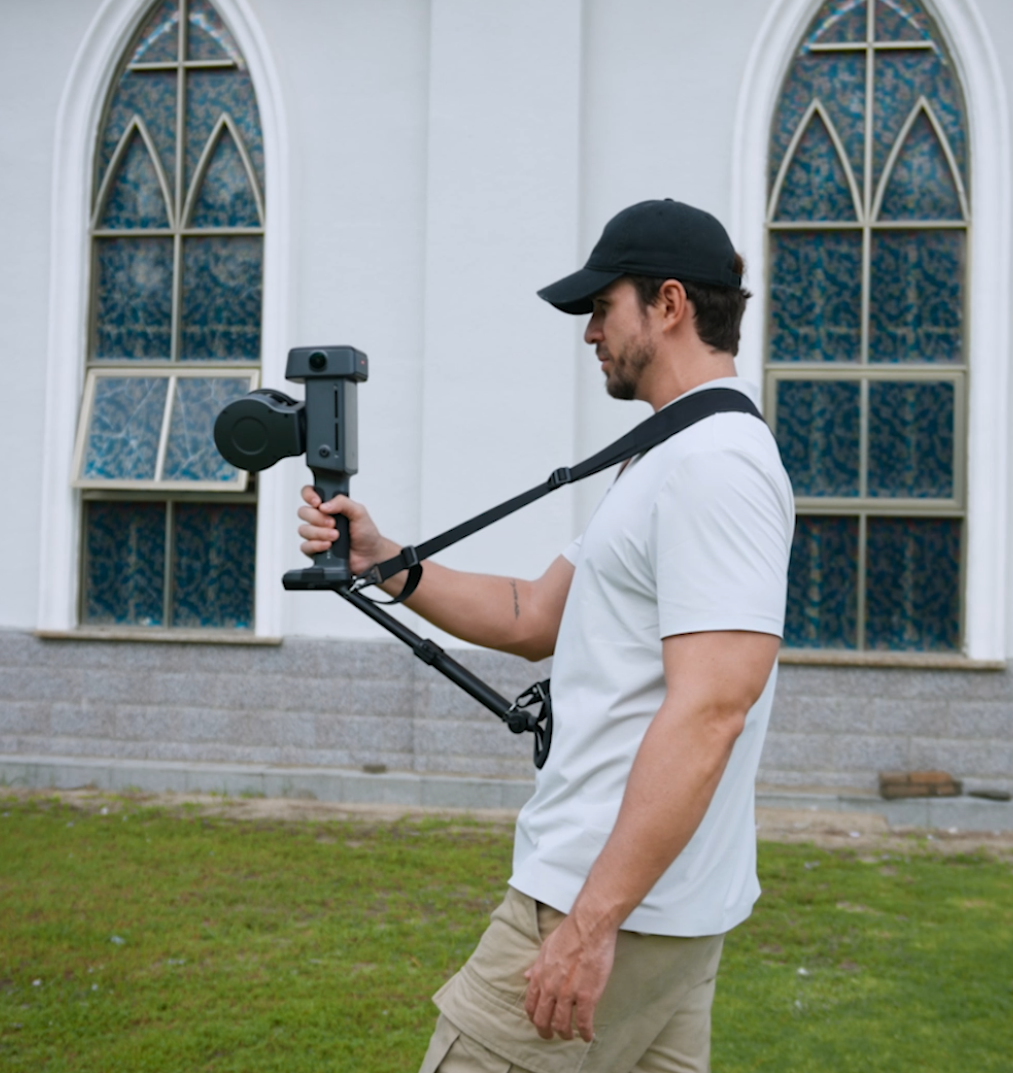
Walk the space with a handheld XGRIDS scanner. SLAM solves position in real time — no station setup, no target placement, no post-hoc registration. The mobile app shows a live floor plan as you walk, so gaps are visible while you are still on site. Drop points of interest and tag issues during the walkthrough. What this replaces: repeat site visits, and the travel budget attached to them.
Step 2
Concept Design and Stakeholder Review
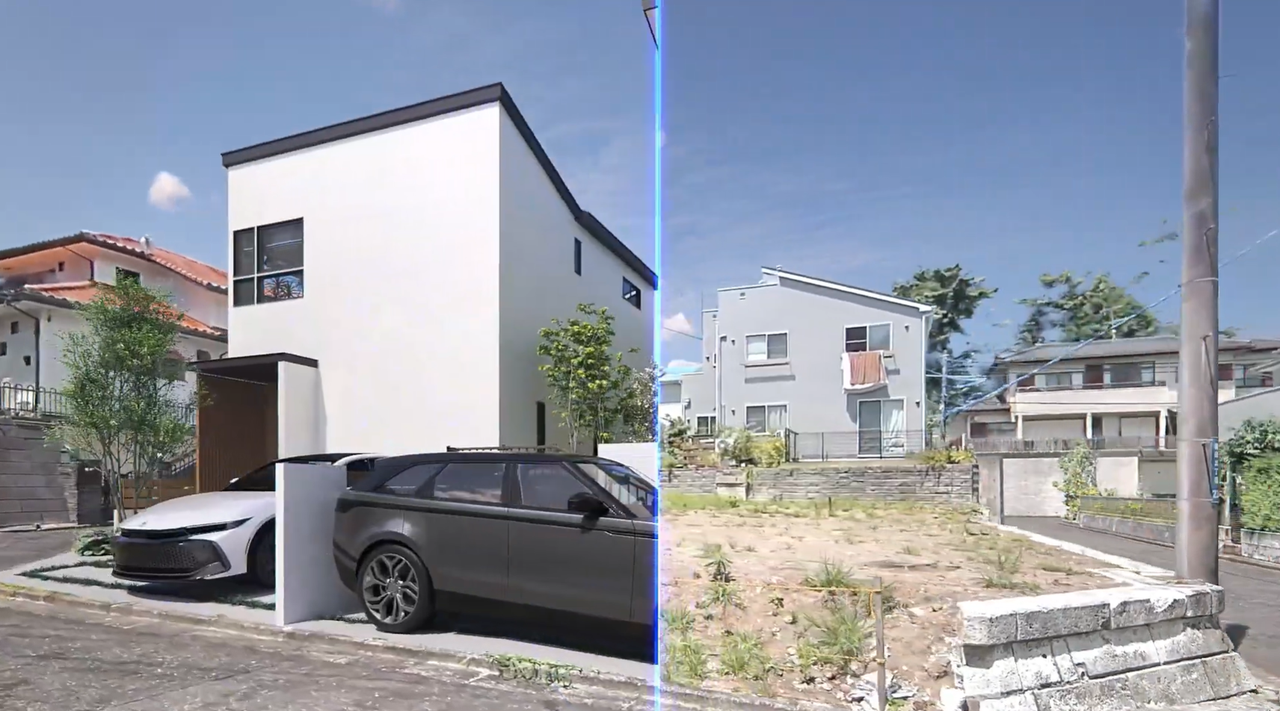
Bring the capture into SketchUp as a modelling reference, or into Unreal Engine for design visualization. The 3DGS scene gives non-technical stakeholders something they can read without a walkthrough of the plans. Host the dataset for distributed teams so reviewers in different offices work from the same site record.
Step 3
Detailed Design and Coordination
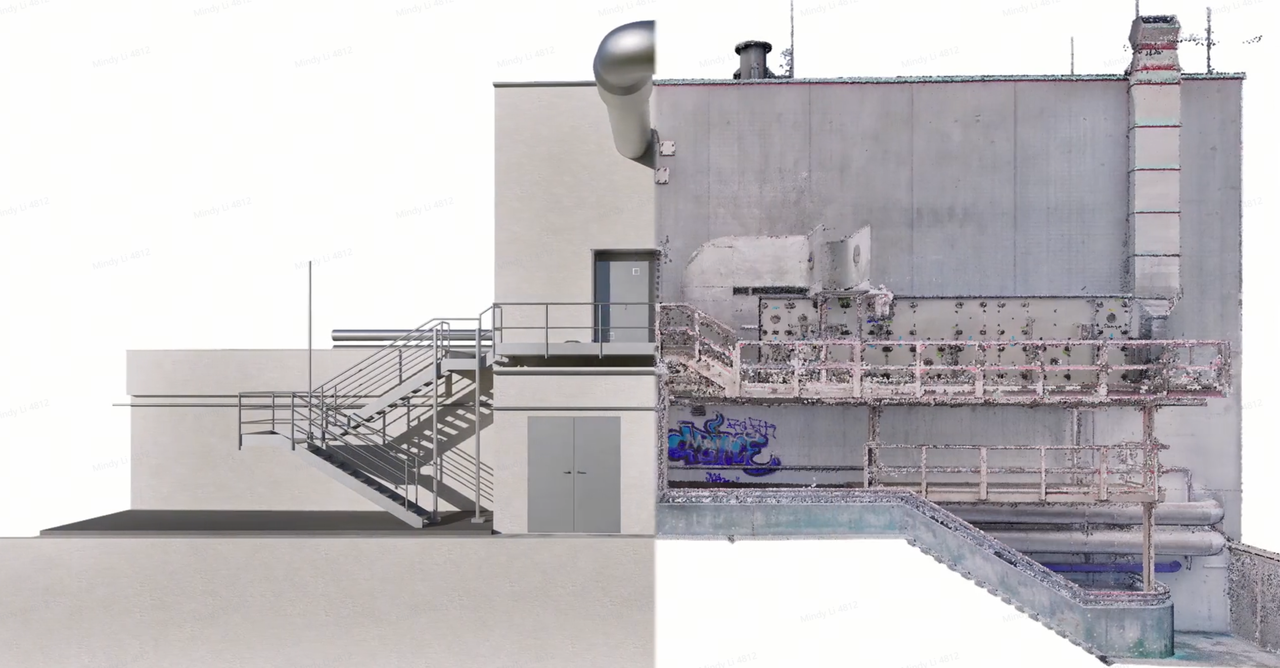
Model against the point cloud in Revit and AutoCAD. Export from LixelStudio as RCP, E57 or LAS and open directly in Autodesk ReCap or Revit. Concealed conditions — ceiling voids, plant rooms, MEP routing captured before demolition — are what make clash detection meaningful against retained structure.
Step 4
Construction Execution and Monitoring
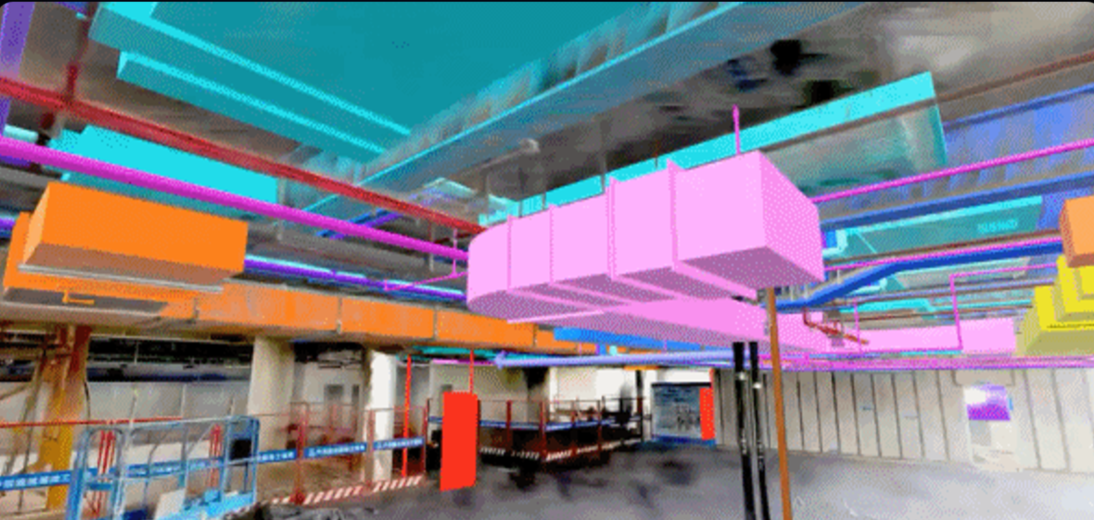
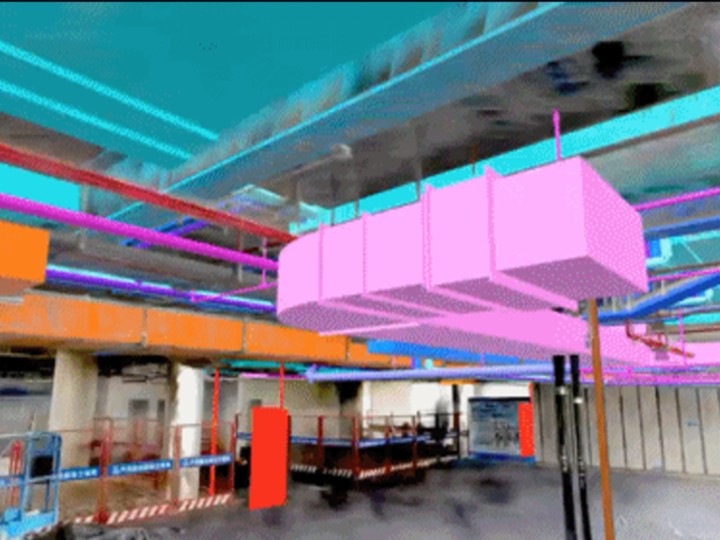
Capture at each milestone. Overlaying the 3DGS scene against the BIM model gives a verifiable check on whether installed work matches designed work. Sequential captures produce a progress record that a client can read directly. Annotate issues on the 3DGS scene and route them through the coordination tools the project already runs on.
Step 5
Handover and Operations
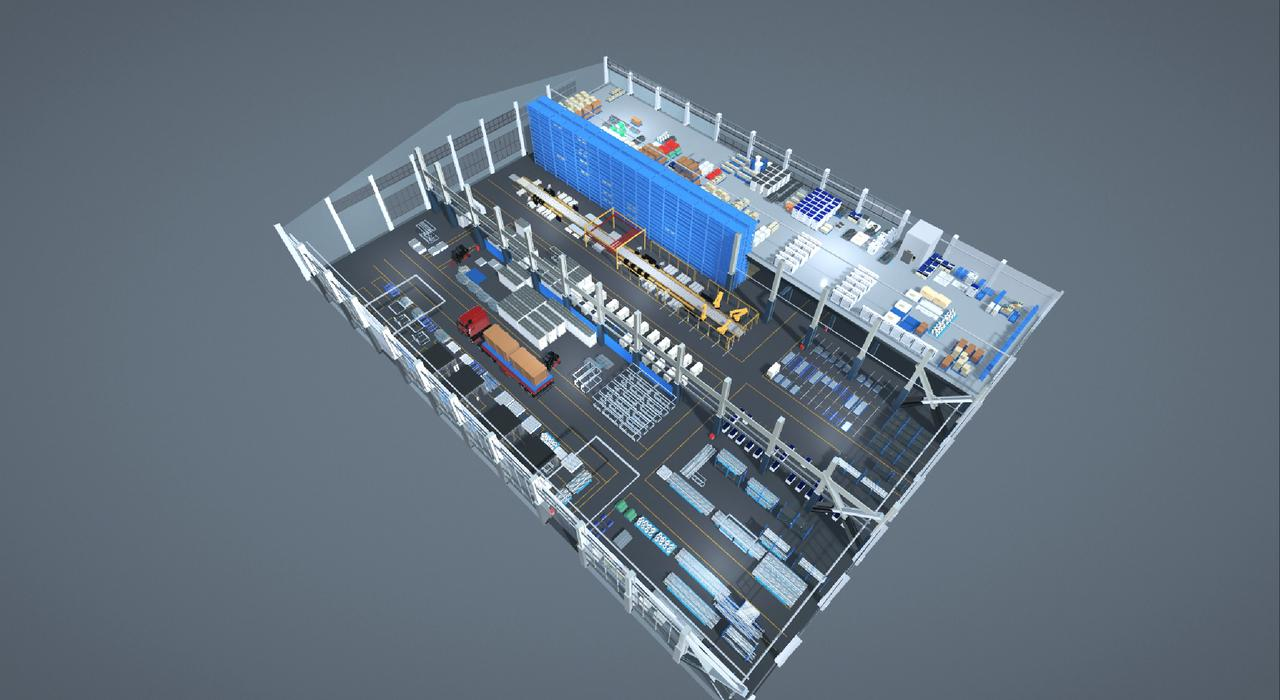
A pre-handover scan preserves the building as delivered, including the work that is about to disappear behind finishes. That archive becomes the base layer for facilities management: asset locations, MEP routing, and a reference for the next renovation cycle.
Lixel L3 / K2
Handheld spatial scanners. L3 covers large scenes and high-accuracy work at millimeter level; K2 is lighter and faster for interiors and smaller spaces.
ProcessLixelStudio
Point-cloud processing and export — LAS, E57, RCP, OBJ and PLY in one go, straight into ReCap and CAD.
ReconstructLixel CyberColor
Automatic 3DGS site records — photorealistic, walkable, shareable by link.
PluginLCC for Revit
Brings the LCC spatial model into Revit alongside the BIM model with live synchronization, generating levels, walls, doors and windows from semantic data rather than manual tracing.
One capture, carried across the project. Not a measurement report that gets filed after delivery, but a spatial record that stays current with the building and keeps returning value from design through operations.
Where Teams Use It
Each scenario is broken down the same way: the problem you have today, how we solve it, and what changes.
Scenario 1
Existing Conditions Survey
Leave the Site With the Survey Already Registered
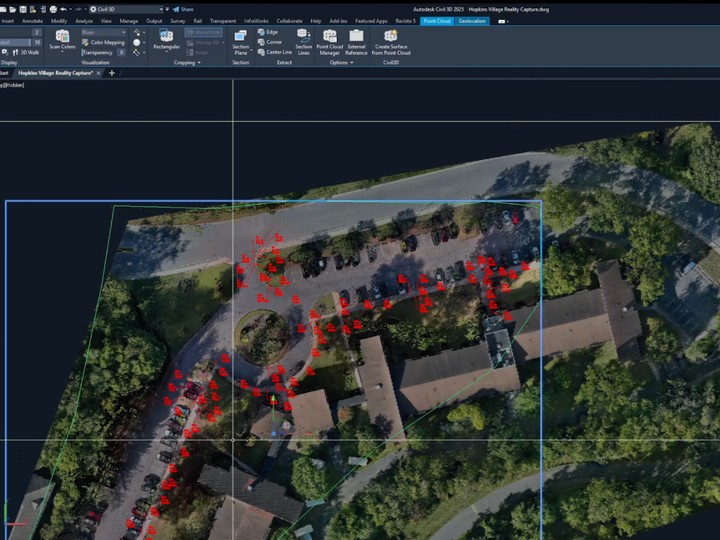
A tripod survey is priced by the setup. Every station is a tripod moved, leveled, targeted and later registered in the office, and the count grows with every column, corridor and doorway that blocks line of sight. Occupied buildings make it worse. The cost is what keeps existing-conditions data rare, and the gaps only show up back at the desk, when returning to site means a second mobilization.
One operator walks the space with a Lixel K2 or L2 Pro. Multi-SLAM solves position continuously from LiDAR, vision and IMU, so the cloud registers as you walk — no targets, no cloud-to-cloud pass. The mobile app draws the floor plan live, so a missed room is visible while you are still standing in the building. Where the project needs a site coordinate system, georeferencing comes from the integrated GNSS RTK module.
- Registered point cloud at 1 cm relative accuracy, produced during the walk
- Coverage verified on site — a re-visit is a decision rather than a discovery
- No targets, no station log, no office registration step
- Occupied and partially demolished spaces captured without staging the room
Scenario 2
Design Reference and Stakeholder Review
Design Into the Building That Is Actually There
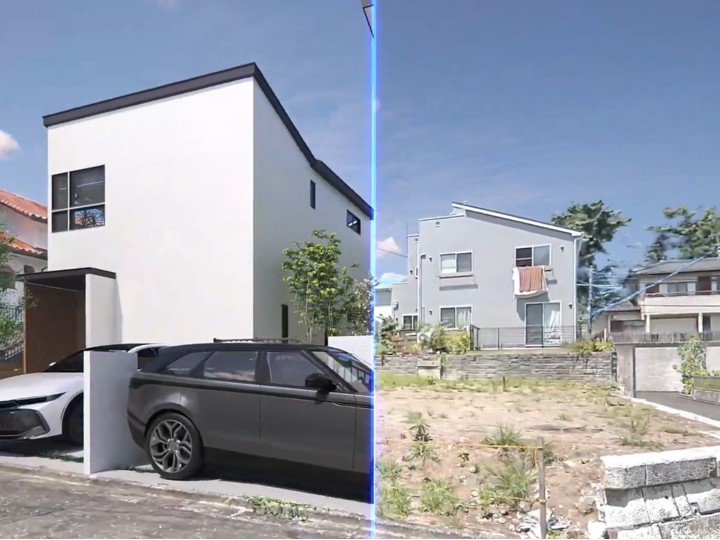
Early design on a renovation or fit-out runs on record drawings that were last accurate on the day they were drawn, plus a folder of site photos. Slab levels differ from the drawing set, a riser is not where the plan puts it, a wall was moved by a previous tenant. The discrepancy surfaces in coordination or on site, at the point where changing the design is expensive. Client review has the same problem in reverse: a stakeholder who does not read plans is being asked to approve a proposal against a space they have to imagine.
The capture goes into SketchUp as a modeling reference and into Unreal Engine for design visualization, and the 3DGS scene opens in a browser for anyone who needs to look rather than model. A client walks the space and sees the proposal against the conditions it has to work with. Because the dataset is hosted, distributed teams review the same site record.
- Concept design starts from measured geometry, not record drawings
- Non-technical stakeholders review in a browser, with no software to install
- Distributed teams work from one site record
- Design intent presented against existing conditions, which shortens approval
Scenario 3
Scan-to-BIM and Coordination
Model From the Scan Inside Revit
Scan-to-BIM is where reality capture usually stalls. The point cloud arrives, someone traces walls, floors and openings by hand, and the modeling hours cancel out the survey savings. The cloud also gets divorced from the model: it lives in ReCap, the model lives in Revit, and checking one against the other means switching applications. Concealed services make it harder — a point cloud shows a pipe's position and says nothing about what it is.
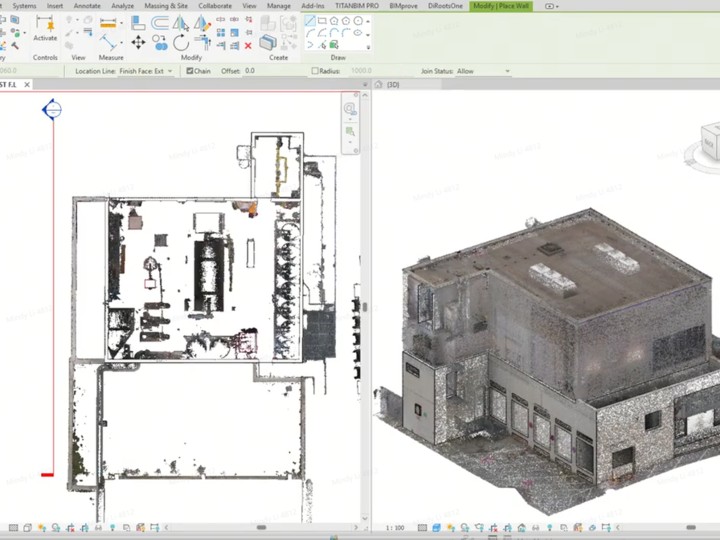
LixelStudio exports RCP, E57 or LAS, which open directly in Autodesk ReCap and Revit — the standard scan-to-BIM path works with no conversion step. LCC for Revit, built with Autodesk, adds the part that usually costs the hours: the plugin brings the LCC spatial model into Revit alongside the BIM model with live synchronization, and generates levels, walls, doors and windows from semantic data rather than manual tracing. The photorealistic scene sits beside the model for verification.
- RCP, E57 and LAS open natively in ReCap and Revit
- Levels, walls, doors and windows generated from the scan inside Revit
- LCC spatial model and BIM model synchronized live, in one environment
- Retained MEP and structure modeled from a capture taken before concealment
- Section boxes and slices cut against measured geometry for drawing production
Scenario 4
Construction Progress and Verification
A Progress Record the Client Can Walk Through
Progress reporting runs on photographs and narrative. A monthly report says a floor is 80% complete, and the number is an estimate someone made while walking it. Verification of installed work against the coordinated model happens the same way — an out-of-tolerance hanger or a duct routed around an obstruction gets found late. Rework is expensive in proportion to how long it stays invisible.
Capture at each milestone. Because a floor is a walk rather than a scan campaign, the milestone cadence is a scheduling decision instead of a budget one. Overlay the 3DGS scene on the BIM model and installed work is checked against designed work directly. Sequential captures build a dated record of the same space, so progress is something a client walks through rather than reads about. Issues get annotated on the scene itself and routed into the coordination tools the project already runs.
- Milestone captures at a cadence the schedule sets, not the budget
- Installed-versus-designed verification against the coordinated model
- Dated sequence of the same space, readable by a client without training
- Issues annotated in place and routed into existing coordination tools
- Concealed work recorded before it is closed up
Scenario 5
Handover and the As-Built Record
Hand Over the Building and the Record of It
The as-built set is assembled at the end of a project from marked-up drawings, submittals and recollection, by the people with the least remaining time and budget. What gets lost is everything already behind a finish: valve positions, junction boxes, structural penetrations, the actual route a service took after it was moved on site. The next renovation team pays for that loss by opening a wall to find out.
A pre-handover scan preserves the building as delivered, and a scan taken before finishes preserves what is about to disappear. The point cloud carries dimensional truth and the 3DGS scene carries what things looked like and where they ran. That archive becomes the base layer for operations: asset locations, MEP routing and a measured starting point for the next renovation cycle. It stays useful for as long as the building stands.
- As-built record captured, rather than reconstructed from paperwork
- Concealed services documented before finishes close them in
- Operations and maintenance work from a measured base layer
- The next renovation starts with a survey that already exists
Results in the Field
Reality Capture Across the AEC Lifecycle
Projects delivered with XGRIDS AEC workflows.
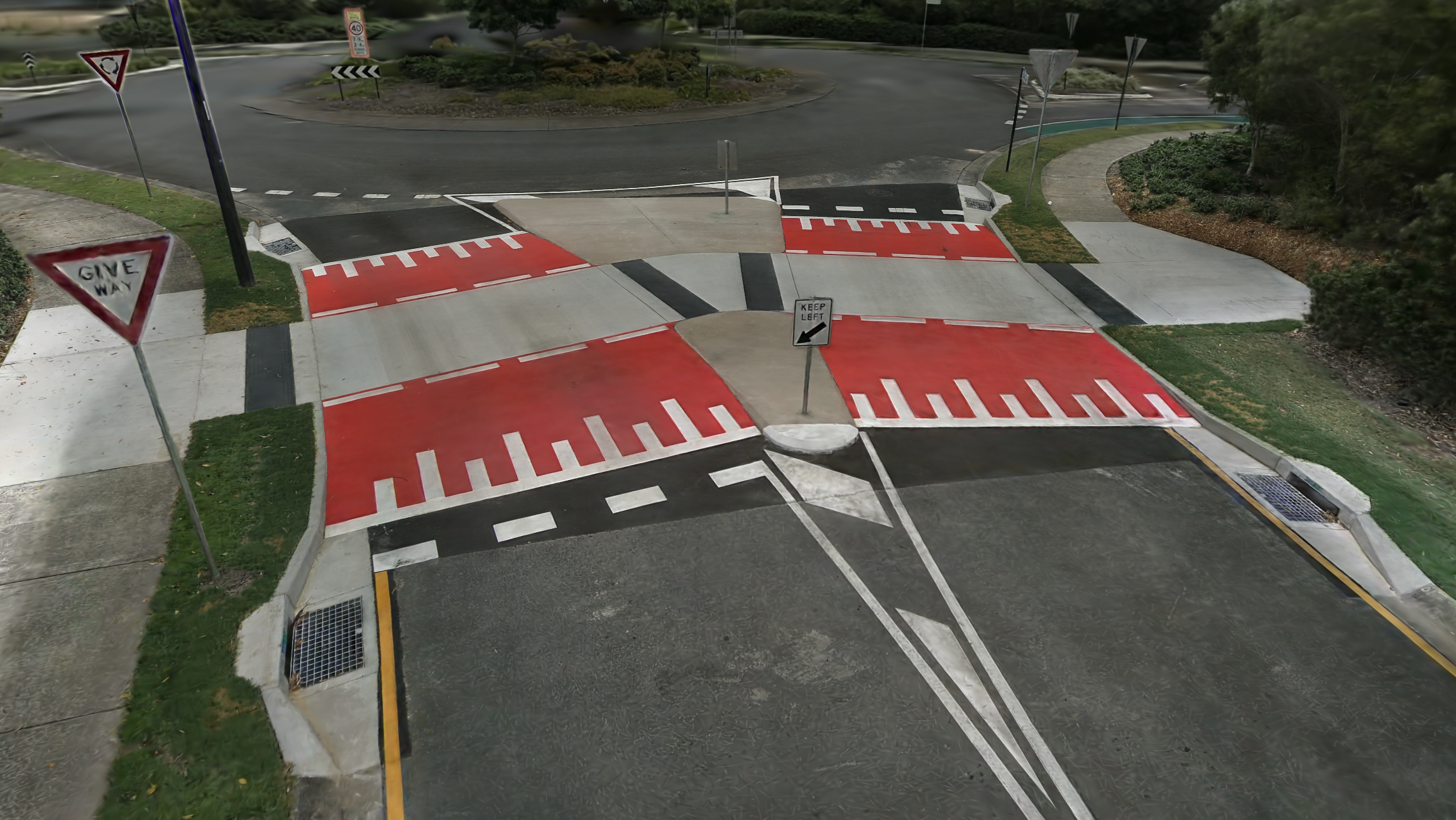
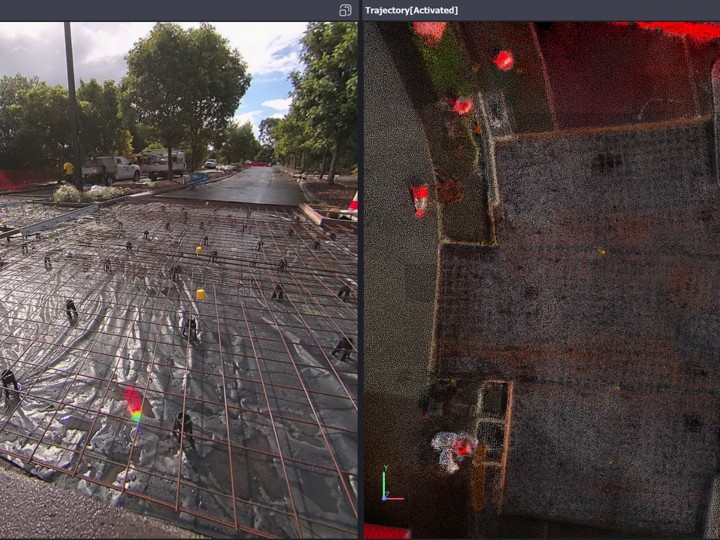
50% Accelerated Full-Project Lifecycle Infrastructure QA Using XGRIDS LiDAR + 3DGS Solution - AECT SOLUTIONS in Australia
.jpg)
Efficient Scan-to-BIM with XGRIDS Solution: A Full-Workflow Case Study of an Electric Factory
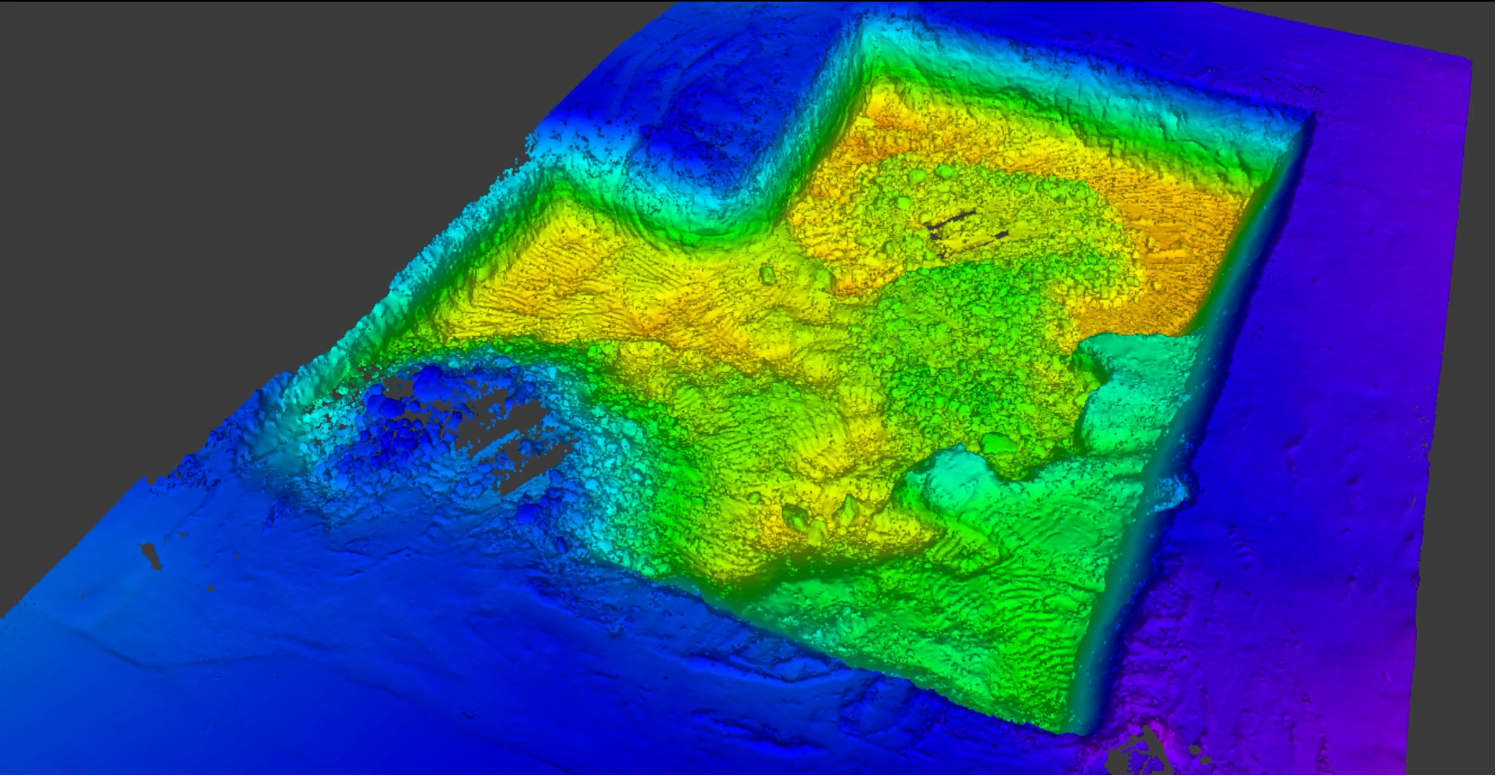
Earthwork Volume Calculation with XGRIDS L2 Pro — 2,000m² Construction Site Survey, Turkey
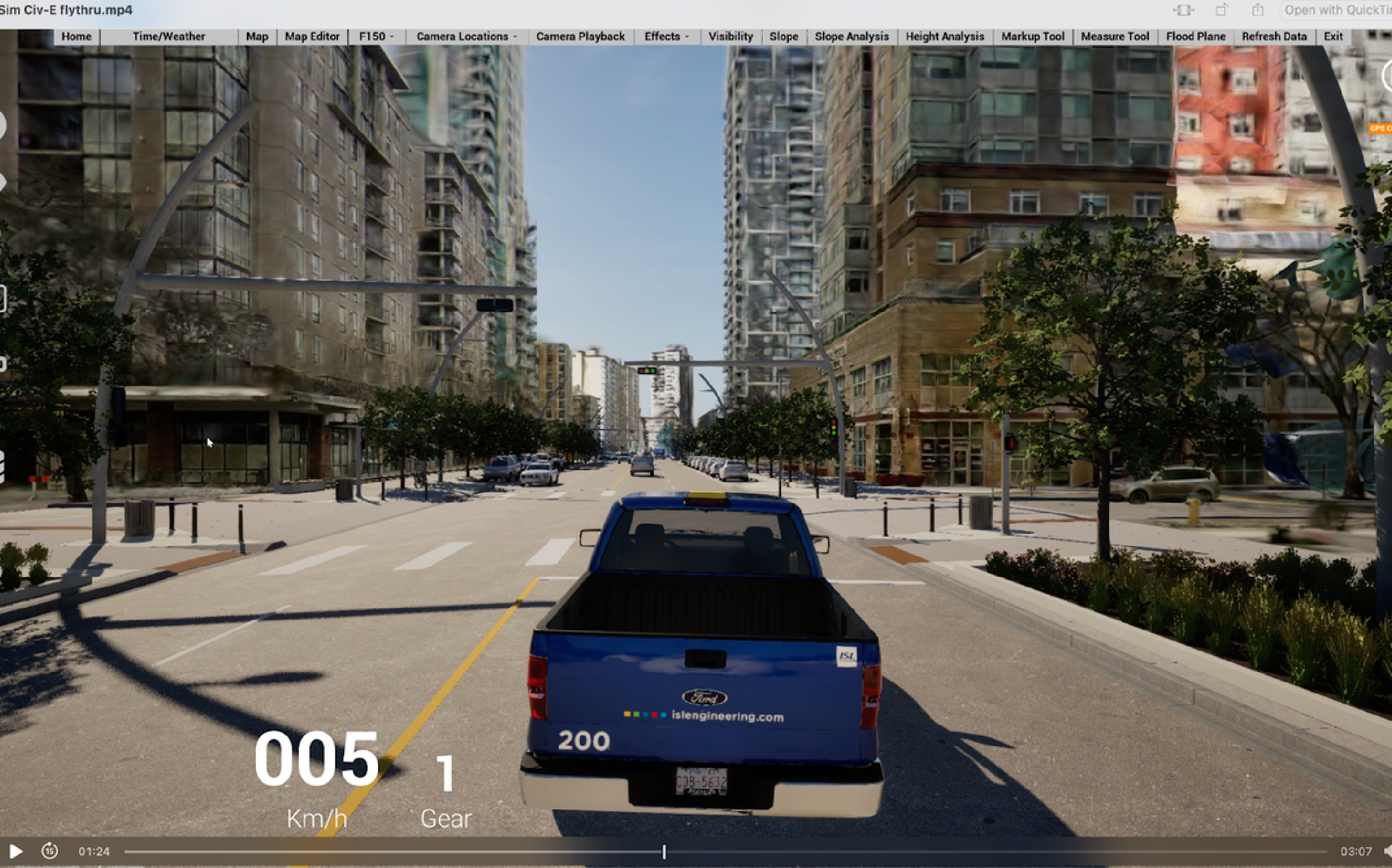
Urban Design: How ISL Used XGRIDS 3DGS to Transform Stakeholder Engagement
.jpg)
Lixel K1 + Emlid Reach RS2, 9-Minutes Site Survey with Sub-Inch Accuracy
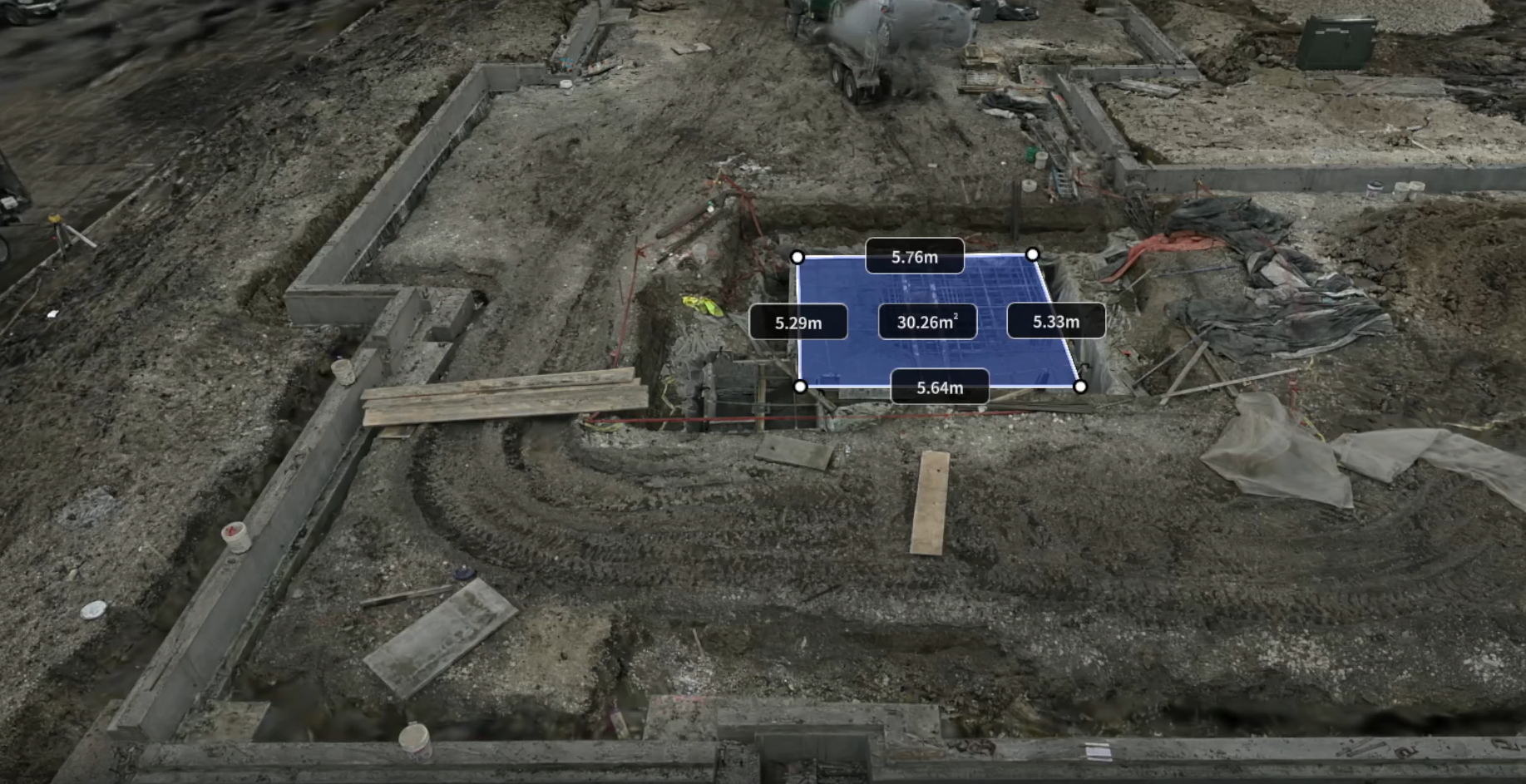
The Virtual Job Site: Skender's Workflow for Measurable, Photorealistic Construction Documentation
Frequently Asked Questions
The XGRIDS AEC solution is a handheld reality capture workflow for architecture, engineering and construction. A Lixel K2 or L2 Pro scanner captures a building on a walking pass using SLAM, producing a registered point cloud at 1 cm relative accuracy and a photorealistic 3D Gaussian Splatting scene from the same walkthrough.
XGRIDS handheld scanners deliver 1 cm relative accuracy and 3 cm absolute accuracy (RMSE), with absolute georeferencing from the integrated GNSS RTK module. Relative accuracy is what governs modeling: it describes the dimensional agreement between any two points in the capture, which is what a wall thickness, a floor-to-floor height or a clearance check depends on. Absolute accuracy governs whether the capture sits correctly in a site coordinate system.
LixelStudio exports RCP, E57 and LAS, all of which open directly in Autodesk ReCap and Revit with no conversion step. RCP is the native Autodesk project format and is the shortest path: export from LixelStudio, open in ReCap, link into Revit. For scan-to-BIM modeling, LCC for Revit brings the LCC spatial model into Revit alongside the BIM model and generates levels, walls, doors and windows from the capture's semantic data.
They price differently because they work differently. A terrestrial laser scanner captures from fixed stations, and each station is set up, leveled, targeted and later registered, so coverage is a function of how many setups the schedule allows. Handheld SLAM solves position continuously while the operator walks, registering the cloud in real time, so coverage is a function of walking route rather than station count. In practice that puts capture efficiency 5 to 10 times higher. Terrestrial scanners retain an advantage where a project requires millimeter-level accuracy on individual measurements.
Yes. LixelStudio exports LAS, LAZ, E57, RCP, PLY and OBJ, which covers Autodesk ReCap, Revit, AutoCAD, Navisworks, CloudCompare and SketchUp. The 3DGS scene from LCC opens in a browser viewer and in Unreal Engine. Because these are standard exchange formats, the dataset is not tied to a viewer seat or to where it is processed and stored.
The Lixel K2 suits small and mid-sized interiors: it is lighter, quicker to deploy and quicker to learn, which matters when the person capturing is a designer or a site engineer rather than a surveyor. The Lixel L2 Pro suits large floor plates, facades, exteriors and multi-floor buildings, and it can be carried, vehicle-mounted or drone-mounted. Both register in real time and both export to the same formats.
No. There is no station setup, no target placement and no registration pass to plan, so operation is a matter of walking a sensible route and watching the live coverage map. Teams typically have someone productive within a day. Projects that need absolute georeferencing to a site coordinate system still need survey control established the usual way.
Built for Modern AEC Workflows
Outputs LAS, LAZ, E57, RCP, PLY, OBJ and 3DGS. Opens in Autodesk ReCap, Revit, AutoCAD, Navisworks, SketchUp, CloudCompare and Unreal Engine.
LCC for Revit
Brings the LCC spatial model into Revit with live synchronization and generates levels, walls, doors and windows from semantic data.
SketchUp
Import point cloud and 3DGS into SketchUp as the base for design reference and massing studies.
AutoCAD · ReCap
LixelStudio exports RCP, E57 and LAS to open directly in ReCap, Revit, AutoCAD and Navisworks.
Unreal Engine
Architectural visualisation and presentation-grade real-time walkthroughs in Unreal Engine.
Partner solutions
Capture a Building and See What Comes Out
Book a demo, download AEC sample data, or talk to a solutions consultant.