Webinar Recap: 3DGS for Virtual Production: Capture, Craft, and Create

Events & Webinars7 min read

How 3D Gaussian Splatting is closing the gap between spatial capture and in-engine virtual production

How 3D Gaussian Splatting is closing the gap between spatial capture and in-engine virtual production

Date: 26/11/2025

Hosts / Moderators: Mindy Li (Product Manager, XGRIDS)

Speakers:

  • Fernando Rivas-Manzaneque (CEO, Volinga)
  • Ian Messina (Founder, Dimension Five — recorded session)

Format: Live presentations + demo recordings + audience Q&A.

Executive Summary

3D Gaussian Splatting (3DGS), combined with modern capture hardware and real-time tooling, is rapidly maturing into a practical pipeline for virtual production. The webinar demonstrated full capture-to-engine workflows using XGRIDS scanners and processing tools, the Volinga Unreal plugin, and standard VP toolchains. Presenters highlighted hybrid approaches — splats for speed and photorealism, low-poly proxy meshes for editability and physics — and shared production cases that show how 3DGS enables faster, less intrusive, and cost-effective creation of digital environments.
Volinga opening slide on supercharging 3D content creation for media and entertainment

Why This Matters

  • Speed: 3DGS lets teams capture real locations and have usable in-engine assets in hours or a single day instead of weeks of modeling and lookdev.
  • Fidelity: Splats preserve photographic realism, reflections and parallax far quicker than full photogrammetry-based rebuilds.
  • Practicality: Combining splats with proxy meshes and existing VP tools gives the best of both worlds — photoreal visuals with editable materials, normals, and collision.
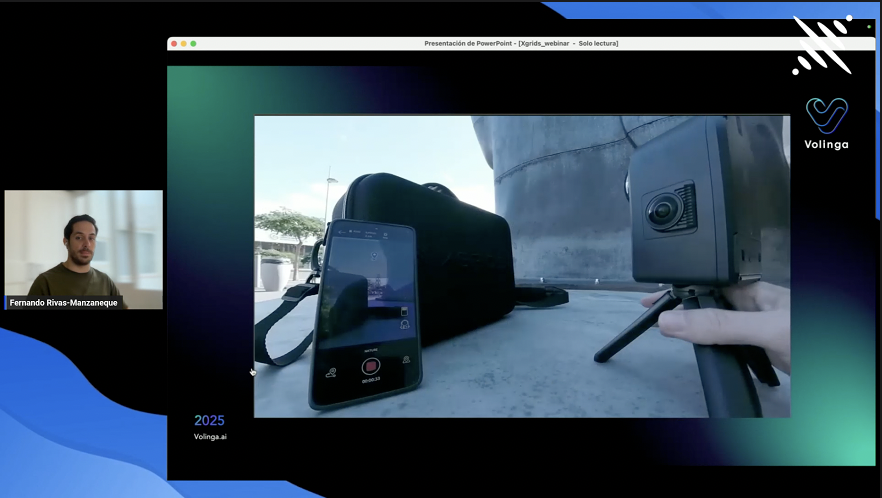
On-site capture setup with a phone running the scan app beside a tripod-mounted camera outdoors

What We Saw: The End-to-End Workflow (Step-by-Step)

This is the practical flow demonstrated in the webinar; vendors and product names below are the same as used by the presenters.

1. On-Site Capture With PortalCam and Handheld Scanners

Multi-pass capture strategy: full coverage passes at different heights + closeups for complex geometry and reflective/repetitive surfaces. (Ian’s studio demo.)
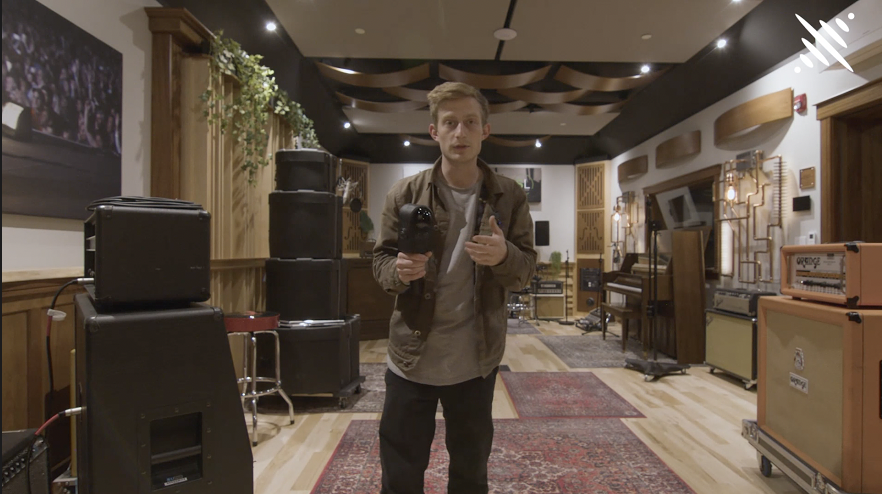
Presenter with a handheld capture device inside a recording studio lined with amps, a piano and acoustic panels

2. Processing in LCC Studio

Raw captures are processed into Gaussian splats (splat clouds) and exported as PLY / LCC formats for downstream use.
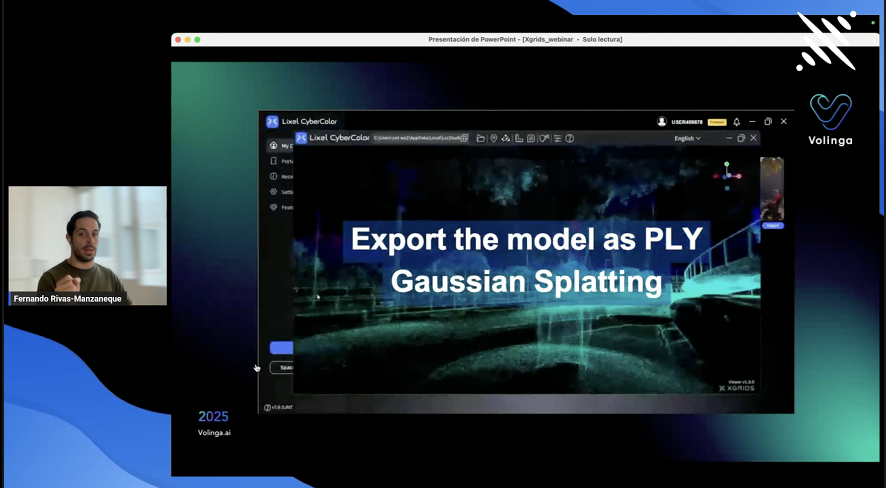
Lixel CyberColor exporting a night road scene as a PLY Gaussian Splatting model

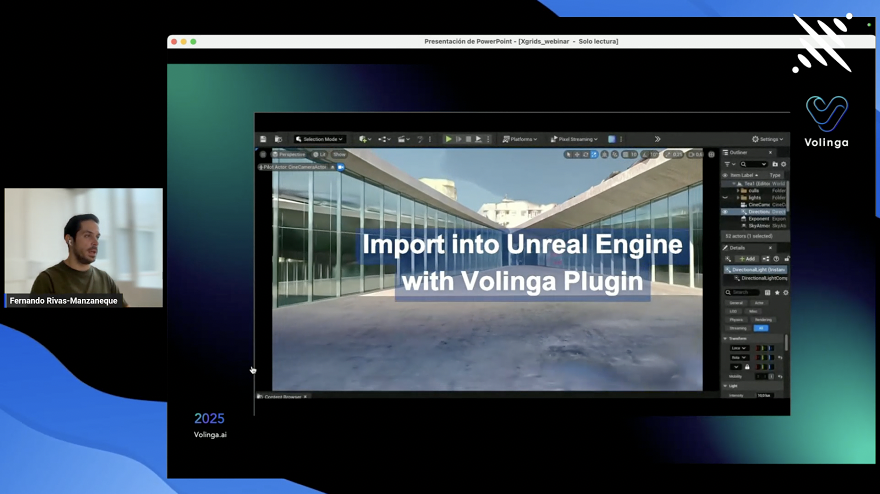
3. Import Into Unreal Engine With the Volinga Plugin

  • Volinga’s plugin ingests LCC/PLY splat output and provides relighting, shadow casting, HDR / ACES support, color-correction volumes, and nDisplay / VP features. This makes splats usable in real-time virtual production contexts.
Importing a glass-walled atrium splat into Unreal Engine through the Volinga plugin

4. Hybrid Enhancement: Proxy Mesh for Normals and Material Control

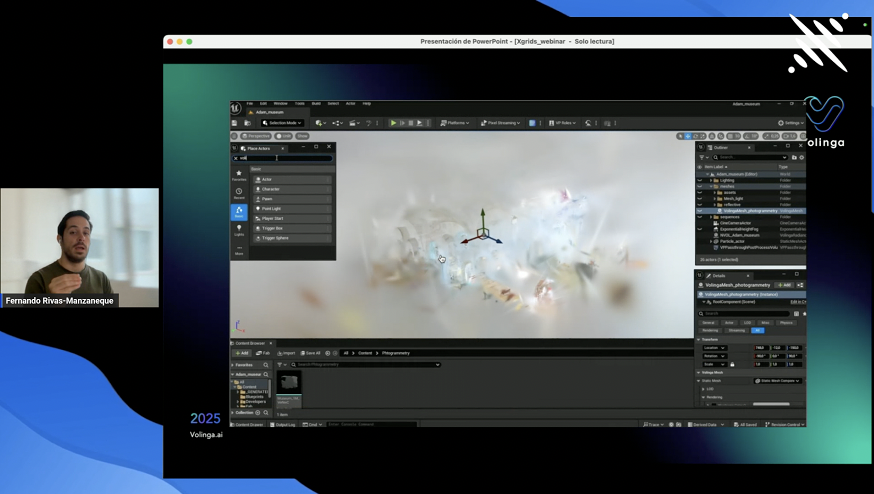
  • Generate a low-poly proxy (from photogrammetry, LiDAR, or a fast meshing pass). Align this proxy to splats and use it as a source of normals, material parameters (roughness/metalness), collision, and to improve shadow fidelity. This proxy-based normal workflow is a central topic from Fernando’s talk.
Unreal scene outliner showing a photogrammetry proxy mesh placed alongside the splat asset

5. On-Stage Playback on LED Walls and Tracked Cameras

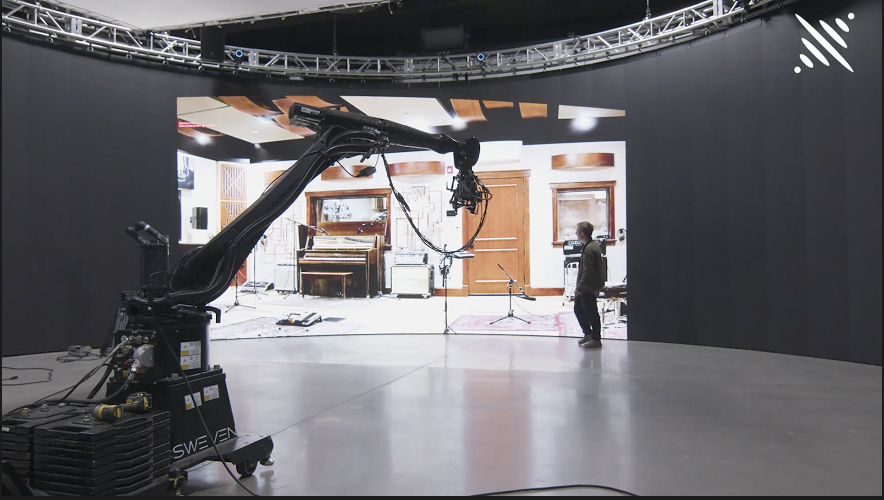
  • The prepared Unreal scene runs through disguise (or other show control) to project onto LED volumes. With correct tracking and genlock, splat scenes deliver convincing parallax and reflections on LED walls during camera moves. Ian’s recorded demo showed a robot tracking shot and fast environment switching.
Robotic camera arm shooting the recording studio environment played back on a curved LED volume

Technical Highlights and Innovations Discussed

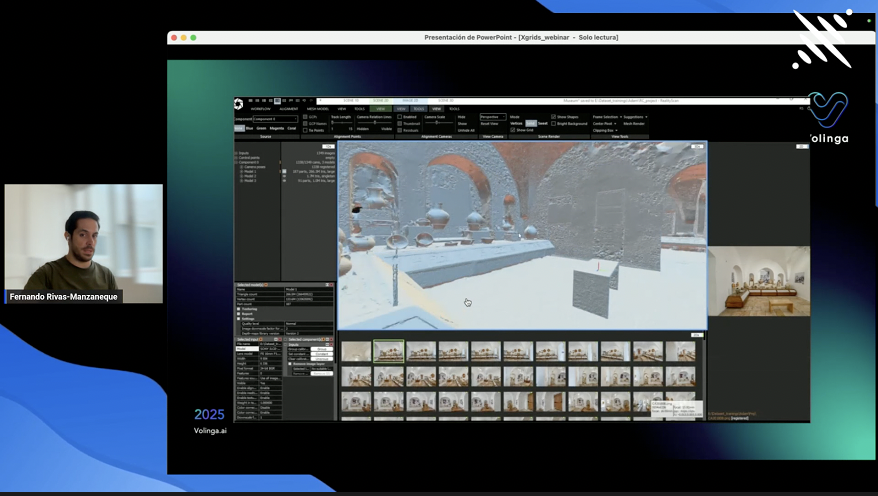
  • Proxy Mesh–Based Normals: Use an aligned low-poly mesh as an “approximate actor” to feed normals, material parameters, and collision into the pipeline. This keeps splat visual quality but adds editability and more accurate lighting/shadows.
Photogrammetry software reconstructing a brick vaulted cellar mesh from a strip of source photographs
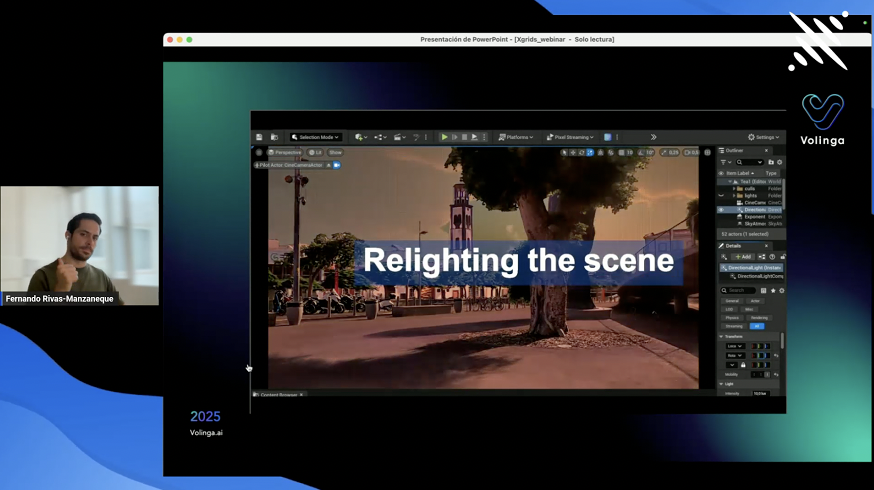
  • Relighting in Engine: Volinga’s relighting lets splat scenes respond to dynamic light changes and cast contact shadows (screen-space or via the proxy), essential for on-set VP adjustments.
Relighting a captured plaza scene with a large tree inside the Unreal Engine editor
  • ACES / HDR Considerations: HDR splat capture and HDR lighting workflows are on the roadmap; current best practice is to use engine-side HDR workflows and post process volumes.
  • LOD & Performance: LOD support for splats is planned (tied to the LCC open format). For now, Volinga exposes performance/quality tradeoffs and is working on native LOD partitions to improve large-scale scenes.
  • 4D / Temporal Splatting: 4D splatting (time varying splats) was discussed as on the roadmap, but real-time playback and performance constraints mean this is still a development area.

Production Case Studies From the Webinar

1. Nashville Street and Johnny Cash Museum Capture Demo

Multi-pass handheld capture produced a usable, relightable scene in minutes. Ian emphasized planning capture passes, avoiding motion blur, and close-ups for complex objects. The demo showed parallax and reflections running on an LED wall.
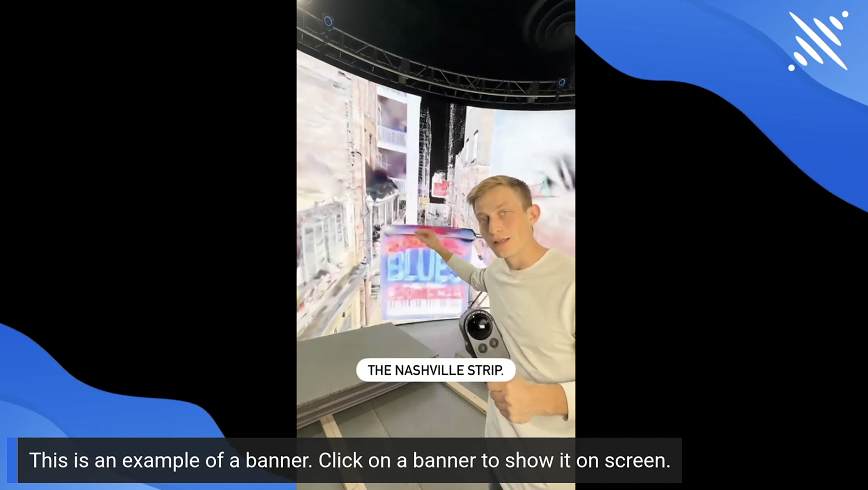
Presenter pointing at the Nashville strip environment running on an LED wall during a stage demo

2. Auschwitz-Birkenau Digital Replica With Volinga and XGRIDS

A constrained, sensitive production requirement: no on-site filming permitted by the foundation. A small team used XGRIDS + Volinga to capture and produce a respectful digital replica for educational storytelling — something previously infeasible due to cost/time and site access restrictions. This demonstrates cultural-heritage use where minimal site impact is crucial.
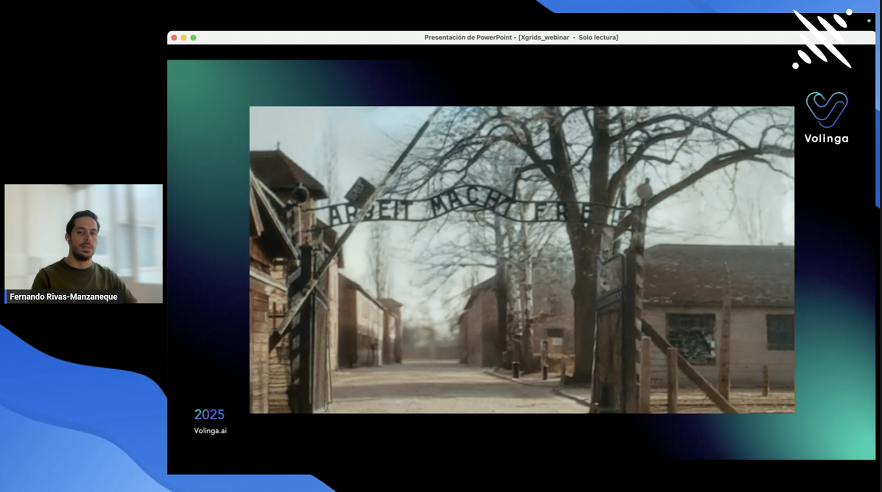
Digital reconstruction of the Auschwitz-Birkenau memorial gate created for educational storytelling
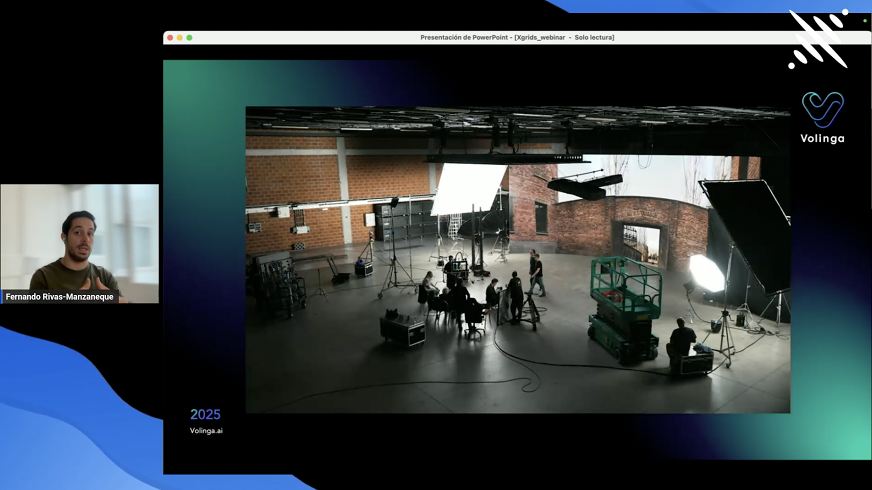
Film crew and lighting rig on a brick-walled stage, part of the virtual production shoot

Top Audience Questions and Brief Answers

Q: How Do You Align Splats and Meshes to Avoid Drift?

A: Best results come when both are derived from the same source data (same scale). Manual alignment is still common; Volinga and partners are developing alignment tools to reduce artist labor.

Q: How Long Should a Scan Be for Screen-Quality Results?

A: No fixed rule — depends on scene size and detail. Plan scan routes, prioritize high-detail areas, avoid motion, and prefer overcast lighting or consistent conditions.

Q: Can Splats Cast Convincing Shadows?

A: Contact and screen-space shadows can work in many VP scenarios; the best results combine splats with a proxy mesh to cast precise shadows. Engine contact shadows help while mesh underlay provides crisp shadowing.

Q: Will 3DGS Replace LiDAR or Photogrammetry?

A: Not a replacement. 3DGS complements LiDAR and photogrammetry — each has strengths. LiDAR gives spatial accuracy; splats deliver speed and photoreal color. Combining them yields the most robust pipeline.

Q: Is This Production Ready for VFX?

A: 3DGS has been used in high-end cases (some film work referenced). Full VFX pipeline readiness needs improved color pipelines, geometry editing, physics/animation support, and better integrations with Nuke/Houdini pipelines. Progress is active.

Practical Capture and Pipeline Tips From the Speakers

  • Plan your passes. Shoot slow, cover parallax, and prioritize complex areas for closeups.
  • Avoid harsh, high-contrast sunlight for capture; overcast or consistent light reduces baked-in shadow problems.
  • Keep source files — as algorithms improve, reprocessing older captures can yield better results (time travel for assets).

Recommendations for Studios Adopting 3DGS Now

  1. Start small: run capture tests at locations you can repeatedly access. Compare splat + proxy workflows to your existing photogrammetry pipeline.
  2. Keep source assets: retain raw captures — reprocessing will improve as tools get better.
  3. Hybrid mindset: use splats for fast photorealism, meshes for physics and editability. Expect to mix formats rather than replace one with another.
  4. Pipeline verification: test relighting, shadowing, and LOD behavior on your target playback system (LED wall, camera pipeline, disguise, etc.).

Closing Thoughts

The webinar demonstrated a pragmatic, production-focused evolution of 3DGS: it isn’t magic that replaces pipelines overnight, but it does dramatically lower the cost/time to create photoreal environments and — when combined with proxy meshes and existing VP tools — gives productions a rapid and flexible path from capture to camera. For filmmakers and XR designers who need fast, believable worlds without months of modeling work, 3DGS + proxy workflows are already a strong contender.

Share this article